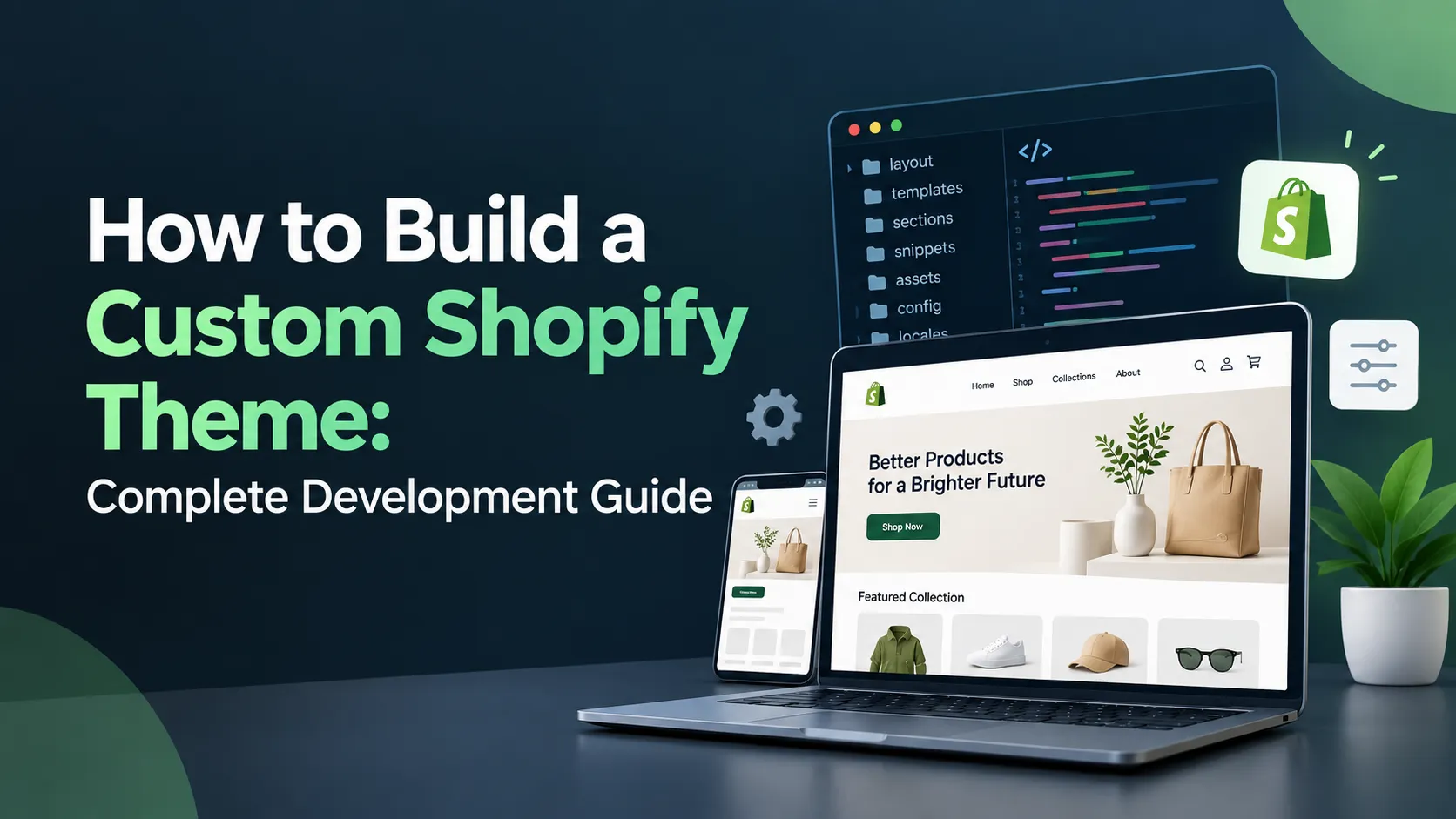
- What Is Shopify Theme Development?
- What Is a Custom Shopify Theme?
- Shopify Theme Customization vs Custom Theme Development
- How to Develop a Shopify Theme
- 1. Define Your Shopify Theme Requirements
- 2. Create the UI/UX Design
- 3. Plan the Shopify Theme Architecture
- 4. Develop the Theme Using Liquid
- 5. Build Custom Sections and Blocks
- 6. Add Custom Theme Settings
- 7. Develop Product Pages
- 8. Develop Collection Pages
- 9. Make the Theme Mobile-Friendly
- 10. Optimize Shopify Theme Performance
- Shopify Theme Development Tools
- Shopify Theme Development Requirements
- Shopify Theme Development Best Practices
- How to Test a Custom Shopify Theme
- How Much Does Shopify Theme Development Cost?
- When Should You Hire a Shopify Theme Developer?
- What Do Shopify Theme Development Services Include?
- Benefits of a Custom Shopify Theme
- Custom Shopify Theme vs Pre-Built Theme
- Shopify Theme Development Process
- Final Thoughts
A Shopify store can be launched with a ready-made theme in a relatively short time. But as a business grows, the limitations of a pre-built theme can become more obvious.
You may want a completely different homepage, a more flexible product page, custom sections, better mobile navigation, or a storefront that matches your brand instead of looking like dozens of other Shopify stores.
This is where Shopify theme development becomes useful.
A custom Shopify theme gives you greater control over the store’s design, layout, functionality, and customer experience. Instead of adapting your business to an existing theme, you can build the storefront around your actual requirements.
In this guide, we’ll explain how to develop a Shopify theme, what you need to get started, the tools developers use, the development process, Shopify theme development best practices, expected costs, and the benefits of choosing a custom theme.
What Is Shopify Theme Development?
Shopify theme development is the process of creating or modifying the visual and functional parts of a Shopify storefront.
A Shopify theme determines how customers interact with your online store. It controls elements such as:
- Homepage layout
- Header and navigation
- Product pages
- Collection pages
- Shopping cart
- Search
- Product cards
- Promotional sections
- Images and videos
- Typography
- Colors
- Buttons
- Mobile layouts
Shopify themes are primarily built using Liquid, HTML, CSS, JavaScript, and JSON.
Liquid is Shopify’s templating language. It allows developers to display dynamic store information such as product names, prices, images, collections, variants, and other Shopify data.
There are two common approaches to Shopify theme development:
- Customize an existing Shopify theme
- Build a custom Shopify theme
The right option depends on your budget, design requirements, functionality, and long-term plans.
What Is a Custom Shopify Theme?
A custom Shopify theme is a storefront theme designed and developed specifically for a particular business.
Instead of starting with a pre-built design and changing a few elements, developers can create the theme structure around the company’s brand and customer journey.
For example, a fashion brand might need:
- Large product imagery
- Editorial-style layouts
- Lookbooks
- Size guides
- Custom product filters
- Quick-add functionality
- Mobile-first navigation
A standard theme may provide some of these features, but a custom theme allows developers to design the entire experience around them.
This is one of the main reasons businesses invest in Shopify custom theme development.
Shopify Theme Customization vs Custom Theme Development
These two approaches are related, but they aren’t the same.
Shopify Theme Customization
Shopify theme customization means taking an existing theme and modifying it to meet your requirements.
Typical customization work includes:
- Changing colors
- Updating fonts
- Modifying the header
- Changing product layouts
- Adding custom sections
- Editing Liquid code
- Adding CSS
- Changing navigation
- Adding JavaScript functionality
This approach is usually faster and more affordable than building a theme from scratch.
It can be a good choice when an existing theme already provides most of the functionality you need.
Shopify Custom Theme Development
Shopify custom theme development involves creating a storefront specifically for the business.
Developers can create:
- Custom page layouts
- Custom sections
- Custom blocks
- Unique product pages
- Custom navigation
- Brand-specific components
- Flexible theme settings
- Custom mobile experiences
The main advantage is control.
You aren’t restricted by the structure of an existing theme.
Which Option Should You Choose?
| Requirement | Theme Customization | Custom Theme Development |
| Basic design changes | Suitable | Not necessary |
| Small functionality changes | Suitable | Suitable |
| Unique branding | Limited | Excellent |
| Complex layouts | May be difficult | Excellent |
| Quick launch | Faster | Takes longer |
| Lower initial cost | Usually lower | Usually higher |
| Long-term flexibility | Moderate | High |
| Highly customized UX | Limited | Excellent |
If your requirements are relatively simple, customization may be enough.
If you find yourself making extensive changes to an existing theme just to get the design and functionality you want, a custom theme may be a better investment.
How to Develop a Shopify Theme
Developing a Shopify theme involves more than designing a homepage and writing some Liquid code.
A successful project normally moves through several stages.
1. Define Your Shopify Theme Requirements
Before development begins, identify what the store needs.
Start with the basics:
- What products will you sell?
- Who is your target audience?
- How many product categories do you have?
- What should the homepage include?
- How should customers navigate the store?
- What should the product page look like?
- Do you need custom filters?
- Do you need special promotional sections?
- Which third-party apps need to be integrated?
- What should the mobile experience look like?
You should also identify SEO, performance, accessibility, and analytics requirements before development starts.
Clear requirements make development easier and help prevent unnecessary work later.
2. Create the UI/UX Design
Once the requirements are clear, the next step is designing the storefront.
The design should cover important pages such as:
- Homepage
- Product page
- Collection page
- Cart
- Search results
- Blog
- Article page
- Contact page
- About page
The design should also define reusable components such as:
- Buttons
- Product cards
- Forms
- Navigation
- Breadcrumbs
- Promotional banners
- Product badges
- Accordions
This creates a consistent design system throughout the store.
A good Shopify theme isn’t just attractive. It should also make it easy for customers to find products and complete purchases.
3. Plan the Shopify Theme Architecture
Before coding, developers should decide how the theme will be structured.
A modern Shopify theme commonly includes directories such as:
- assets
- blocks
- config
- layout
- locales
- sections
- snippets
- templates
Each directory serves a different purpose.
Layout
The layout contains the overall structure of the storefront.
The main layout file is typically:
theme.liquid
It can contain the basic HTML structure and shared elements used throughout the store.
Templates
Templates determine how different types of pages are structured.
Examples include:
- Product
- Collection
- Page
- Blog
- Article
- Cart
Modern Shopify themes use JSON templates to provide greater flexibility through the theme editor.
Sections
Sections are reusable components that make a Shopify theme easier to customize.
Examples include:
- Hero banner
- Featured collection
- Image with text
- Testimonials
- Newsletter
- Featured products
Merchants can use the Shopify theme editor to configure supported sections without editing code.
Blocks
Blocks divide sections into smaller components.
For example, a product information section might contain blocks for:
- Product title
- Price
- Description
- Variant selector
- Buy button
This modular approach makes the theme easier to maintain and customize.
Snippets
Snippets are reusable pieces of Liquid code.
A developer might create snippets for:
- Product cards
- Icons
- Prices
- Pagination
- Forms
This helps prevent duplicate code.
4. Develop the Theme Using Liquid
Liquid is one of the most important technologies to understand when learning how to make a Shopify theme.
It allows developers to work with Shopify’s store data and dynamically display content.
For example, a product page can use Liquid to display:
- Product title
- Product description
- Product price
- Product images
- Variants
- Availability
A Shopify theme developer also needs to understand Liquid objects, tags, filters, variables, and Shopify’s theme-specific functionality.
This is why Shopify theme development requires more than basic HTML and CSS knowledge.
5. Build Custom Sections and Blocks
One of the biggest benefits of modern Shopify themes is modularity.
Instead of hardcoding the entire homepage, developers can create individual sections that merchants can arrange through the theme editor.
For example:
- Homepage
- Announcement bar
- Header
- Hero banner
- Featured collection
- Image with text
- Promotional banner
- Testimonials
- Newsletter
- Footer
This approach gives merchants more control after development is complete.
If a business wants to move the testimonials section above the featured collection, they should be able to do it without asking a developer to change the code.
6. Add Custom Theme Settings
A good custom Shopify theme should provide useful controls through the theme editor.
Depending on the project, these settings may include:
- Logo
- Colors
- Typography
- Button styles
- Header options
- Product card styles
- Section spacing
- Social media links
- Promotional banners
- Footer settings
The goal isn’t to create hundreds of settings.
Too few settings can make a theme restrictive, while too many can make it difficult for store owners to manage.
The best approach is to provide settings that merchants are likely to use.
7. Develop Product Pages
The product page is one of the most important parts of an ecommerce store.
A custom product page can include:
- Product gallery
- Product title
- Price
- Compare-at price
- Product description
- Variant selector
- Quantity selector
- Add-to-cart button
- Product information
- Reviews
- Shipping information
- Size guide
- Product recommendations
- Trust elements
The exact layout should depend on the product and target audience.
For example, a jewelry store may need large product photography and detailed specifications, while a fashion store may prioritize size selection, color variants, and lifestyle imagery.
8. Develop Collection Pages
Collection pages need to make product discovery easy.
Common features include:
- Collection title
- Collection description
- Product grid
- Filters
- Sorting
- Pagination
- Product badges
- Quick add
- Promotional content
If the store has a large catalog, filtering and sorting become especially important.
The page should also work well on smaller screens.
9. Make the Theme Mobile-Friendly
Mobile users should be considered from the beginning of Shopify theme development.
Don’t wait until the end of the project to make the desktop design responsive.
Pay particular attention to:
- Navigation
- Product images
- Product grids
- Buttons
- Filters
- Forms
- Search
- Cart
- Sticky elements
- Popups
Mobile users often interact with stores differently from desktop users, so simply shrinking the desktop layout isn’t always enough.
A proper mobile experience may require different spacing, component ordering, navigation patterns, and interactions.
10. Optimize Shopify Theme Performance
Performance should be part of development from day one.
A theme can become slow because of:
- Large images
- Excessive JavaScript
- Unused CSS
- Third-party scripts
- Poorly implemented animations
- Too many apps
- Unnecessary theme code
Some practical ways to improve performance include:
- Compressing images
- Using appropriate image sizes
- Loading resources only when necessary
- Reducing JavaScript
- Avoiding unnecessary third-party scripts
- Keeping CSS efficient
- Lazy-loading suitable images
- Removing unused code
Performance should be tested on real pages, not just the homepage.
Product and collection pages are often more complicated and may have significantly more content.
Shopify Theme Development Tools
Developers have several tools available for Shopify theme development.
Shopify CLI
Shopify CLI is one of the most useful tools for professional theme development.
It can help developers:
- Create themes
- Develop themes locally
- Preview changes
- Work with development themes
- Run Theme Check
- Push themes
- Publish themes
It also supports a faster development workflow by allowing developers to preview changes while working.
Shopify Theme Check
Theme Check is Shopify’s tool for identifying problems in Liquid and theme code.
It can help identify:
- Syntax problems
- Liquid issues
- Unused code
- Deprecated features
- Performance-related issues
- Missing templates
Developers can run Theme Check during development rather than waiting until the project is ready for launch.
Visual Studio Code
Visual Studio Code is widely used for Shopify development.
It provides a convenient environment for working with:
- Liquid
- HTML
- CSS
- JavaScript
- JSON
Shopify’s Liquid tooling can also help developers identify problems while writing theme code.
Git and GitHub
Version control is important for professional Shopify projects.
Using Git allows developers to:
- Track changes
- Create branches
- Review code
- Collaborate
- Roll back changes
- Maintain development versions
This becomes especially useful when multiple developers are working on the same theme.
Shopify Theme Development Requirements
If you’re planning to become a Shopify theme developer, you’ll need a combination of technical and ecommerce skills.
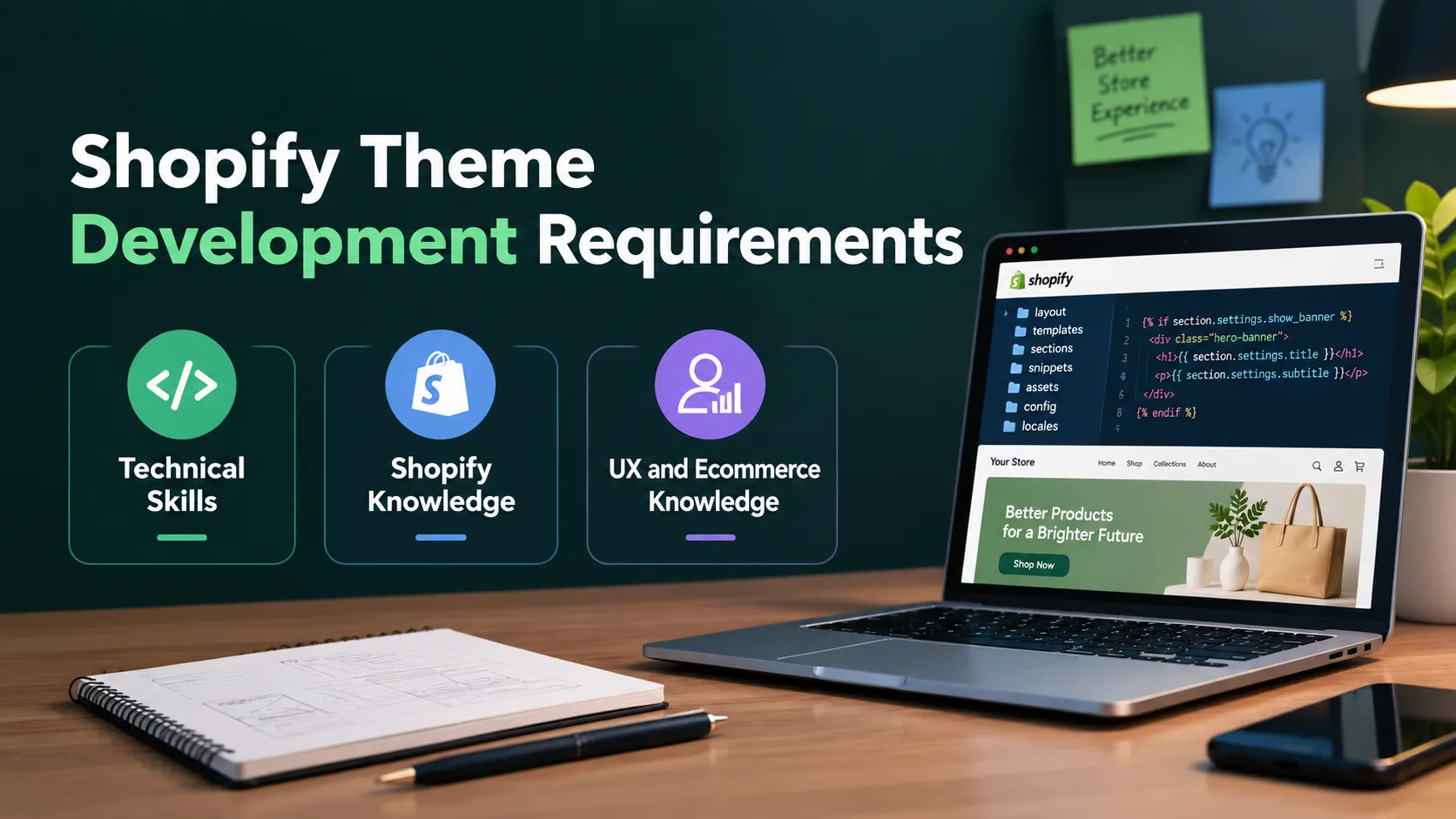
Technical Skills
Important technical skills include:
- HTML
- CSS
- JavaScript
- Liquid
- JSON
- Responsive web design
- Git
- Shopify theme architecture
Shopify Knowledge
You should also understand:
- Products
- Collections
- Variants
- Metafields
- Metaobjects
- Navigation
- Cart
- Theme settings
- Sections
- Blocks
- Templates
- App blocks
UX and Ecommerce Knowledge
Technical knowledge alone isn’t enough.
A good developer should also understand:
- Ecommerce UX
- Conversion-focused design
- Mobile-first design
- Accessibility
- Performance optimization
- Search engine optimization
The goal is to build a storefront that doesn’t just look good but also works well for customers.
Shopify Theme Development Best Practices
Following the right practices can make a major difference in the quality of a custom theme.
1. Keep the Theme Modular
Use sections, blocks, and snippets instead of putting everything into a few large files.
This makes the code easier to maintain.
2. Avoid Unnecessary JavaScript
Don’t use JavaScript for functionality that can be handled with HTML or CSS.
Less JavaScript can also mean a lighter storefront.
3. Design for Mobile First
Consider mobile layouts during the design and development process.
Don’t treat mobile optimization as a final step.
4. Build Reusable Components
If the same component appears in several places, consider turning it into a reusable section or snippet.
5. Keep Theme Settings Practical
Give merchants useful controls without overwhelming them with unnecessary options.
6. Optimize Images
Use appropriately sized images and avoid uploading unnecessarily large files.
Follow Accessibility Standards
Pay attention to:
- Keyboard navigation
- Focus states
- Semantic HTML
- Image alt text
- Form labels
- Color contrast
- Accessible navigation
Accessibility improves the experience for a wider range of customers.
7. Test With Real Content
Don’t test only with short placeholder product names.
Use real products with:
- Long titles
- Multiple variants
- Multiple images
- Sale prices
- Long descriptions
- Missing images
This helps uncover layout problems before launch.
How to Test a Custom Shopify Theme
Before publishing a custom theme, test it thoroughly.
Functional Testing
Check:
- Navigation
- Search
- Product selection
- Variant selection
- Add to cart
- Cart updates
- Forms
- Filters
- Sorting
- Pagination
- Promotional sections
Responsive Testing
Test the theme across:
- Smartphones
- Tablets
- Laptops
- Desktop monitors
Pay attention to both layout and usability.
Browser Testing
Test the storefront in major modern browsers to identify compatibility issues.
Performance Testing
Test important page types, including:
- Homepage
- Product page
- Collection page
- Cart
- Landing pages
Don’t assume that a fast homepage means the entire theme is fast.
Accessibility Testing
Check:
- Keyboard navigation
- Focus indicators
- Screen-reader compatibility
- Color contrast
- Form accessibility
- Image descriptions
- Navigation
How Much Does Shopify Theme Development Cost?
Shopify theme development cost depends on the scope and complexity of the project.
A simple theme customization project may cost considerably less than a completely custom Shopify theme.
Some factors that influence the cost include:
- Number of templates
- Number of custom sections
- UI/UX design requirements
- Product page complexity
- Collection functionality
- Custom filtering
- Third-party integrations
- Metafields and metaobjects
- Custom JavaScript
- Animation requirements
- Mobile optimization
- Performance optimization
- Accessibility
- Testing
- Migration requirements
For this reason, there isn’t one fixed price for Shopify theme development.
The best way to estimate the cost is to first define the design, functionality, integrations, and number of templates required.
When Should You Hire a Shopify Theme Developer?
You may want to hire a Shopify theme developer when your existing theme can no longer meet your requirements.
Consider hiring a developer if:
- Your current theme requires extensive modifications
- You need a unique storefront design
- You need custom sections
- Your product pages require special functionality
- Your mobile experience needs improvement
- Your theme has performance problems
- You need custom Liquid development
- You need to integrate third-party services
- You’re migrating an existing ecommerce store
- You need ongoing theme maintenance
An experienced developer can also help determine whether you actually need a completely custom theme.
Sometimes, customizing an existing theme is the more practical solution.
What Do Shopify Theme Development Services Include?
Professional Shopify theme development services can cover different parts of the ecommerce development process.
Depending on the provider, services may include:
- Custom Shopify theme development
- Shopify theme customization
- Shopify UI/UX design
- Responsive theme development
- Liquid development
- Custom sections and blocks
- Theme migration
- Third-party integrations
- Performance optimization
- Accessibility improvements
- Theme maintenance
- Bug fixing
When comparing Shopify theme customization services, don’t look at pricing alone.
Consider the developer’s experience with Shopify’s current theme architecture, Liquid, responsive design, performance, accessibility, and ecommerce UX.
Benefits of a Custom Shopify Theme
There are several potential benefits of a custom Shopify theme.
1. Unique Brand Experience
A custom theme allows your store to reflect your brand rather than relying on the same layout used by many other stores.
2. Better User Experience
You can design the storefront around the way your customers actually browse and shop.
3. Greater Flexibility
Custom sections and theme settings give merchants more control over the storefront.
4. Better Performance Potential
A purpose-built theme can avoid unnecessary features and code that aren’t relevant to your business.
5. Easier Future Changes
A properly structured theme can make future modifications easier.
6. Better Differentiation
A unique storefront can help your business stand out in a competitive ecommerce market.
Custom Shopify Theme vs Pre-Built Theme
A pre-built theme isn’t necessarily a bad choice.
In fact, it can be the right solution for many businesses.
Choose a pre-built theme when:
- You have a limited budget
- You need to launch quickly
- Your requirements are straightforward
- An existing theme already matches your needs
Consider a custom theme when:
- Your brand requires a unique experience
- Your UX requirements are specific
- Existing themes require extensive modifications
- You need specialized product or merchandising experiences
- Long-term flexibility is important
The question isn’t whether custom Shopify themes are always better.
The real question is whether the additional flexibility justifies the development investment for your business.
Shopify Theme Development Process
A typical Shopify custom theme project can follow this workflow:
Requirements → UI/UX Design → Theme Architecture → Development → Sections & Blocks → Testing → Performance Optimization → Client Review → Final QA → Launch
This structured process helps reduce development problems and gives the merchant opportunities to review the storefront before launch.
Final Thoughts
Building a custom Shopify theme isn’t simply about creating a unique design. A good theme needs to combine design, usability, performance, flexibility, accessibility, and maintainable code.
For smaller stores with straightforward requirements, customizing an existing theme may be the most practical choice. But businesses with unique branding, complex UX requirements, or specialized ecommerce needs may benefit from investing in Shopify custom theme development.
Whether you build the theme internally, hire a Shopify theme developer, or work with a Shopify theme development company, start with clear requirements and a well-planned architecture. The best Shopify theme isn’t necessarily the one with the most features.
It’s the one that gives customers a smooth shopping experience while giving the business enough flexibility to grow.
Tags
Categories
Recent Posts
Popular Posts
- How to Choose a Reliable Offshore Development Partner?
- Transforming Web Development with HTMX’s Declarative Approach for Dynamic UIs
- Top 15 Ecommerce Growth Strategies to Maximize Sales in 2026
- What is B2B Web Design? Benefits, Best Practices, and Examples
- Why Your Conversion Funnel Needs a Composable Commerce Solution?