- What Is Magento ERP Integration?
- How Does Magento ERP Integration Work?
- What Data Can Be Synchronized Between Magento and an ERP?
- Key Benefits of Magento ERP Integration
- Magento ERP Integration Methods
- How to Choose the Best ERP for Magento
- Step-by-Step Magento ERP Integration Process
- Common Magento ERP Integration Challenges
- Best Practices for Magento ERP Integration
- When Should You Consider Magento ERP Integration?
- Magento ERP Integration Services: What Should Businesses Look For?
- Conclusion
Managing an eCommerce business becomes increasingly complex as product catalogs, order volumes, inventory locations, and sales channels grow. Magento can manage the customer-facing side of an online store, but businesses often rely on an Enterprise Resource Planning (ERP) system to manage inventory, orders, fulfillment, finance, and other back-office operations.
This is where Magento ERP integration becomes important.
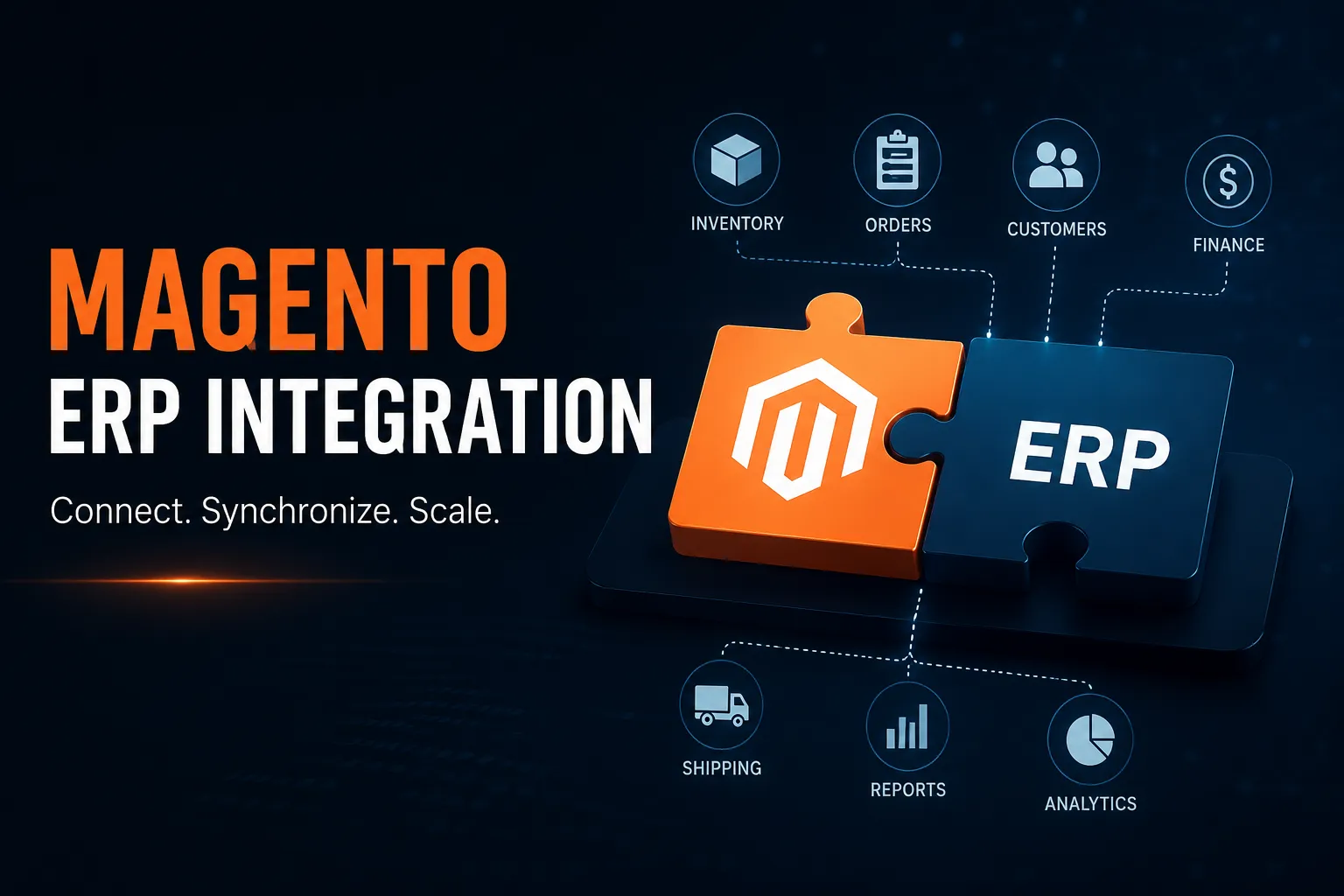
Magento ERP integration connects a Magento store with an ERP system so that business data such as products, inventory, orders, customers, and shipping information can be exchanged automatically. Instead of manually transferring information between systems, businesses can create connected workflows that reduce repetitive work and improve operational visibility.
The right integration approach depends on several factors, including the ERP platform, business requirements, data complexity, and future scalability needs. A pre-built connector may work for one business, while another may require custom development or middleware.
This guide explains how Magento ERP integration works, what data can be synchronized, available integration methods, common challenges, and how to choose the right solution.
What Is Magento ERP Integration?
Magento ERP integration is the process of connecting a Magento or Adobe Commerce store with Enterprise Resource Planning software.
Magento primarily manages the eCommerce experience. It can handle functions such as:
- Product catalogs
- Customer accounts
- Shopping carts
- Checkout
- Online orders
- Promotions and storefront experiences
An ERP system manages many of the operational processes behind the business, including:
- Inventory management
- Order processing
- Procurement
- Warehouse operations
- Accounting
- Financial management
- Supply chain processes
Through ERP integration with Magento, these systems can exchange information automatically.
For example, when a customer places an order on a Magento store, the order can be transferred to the ERP for processing. When the warehouse fulfills the order, shipping information can be sent back to Magento.
This creates a more connected workflow between the online store and back-office operations.
Businesses deciding between Magento 2 or Magento should also consider their integration requirements early. The Magento version and underlying technology can affect compatibility with extensions, APIs, and external business systems.
A well-planned Magento implementation is not just about designing an attractive storefront. Businesses with complex operations need to consider how the eCommerce platform will communicate with ERP, CRM, warehouse, and other business systems.
How Does Magento ERP Integration Work?
Magento ERP integration works by creating a connection through which Magento and the ERP system exchange data.
The connection may be built using:
- APIs
- Pre-built connectors
- Magento integration modules
- Middleware
- Custom integration development
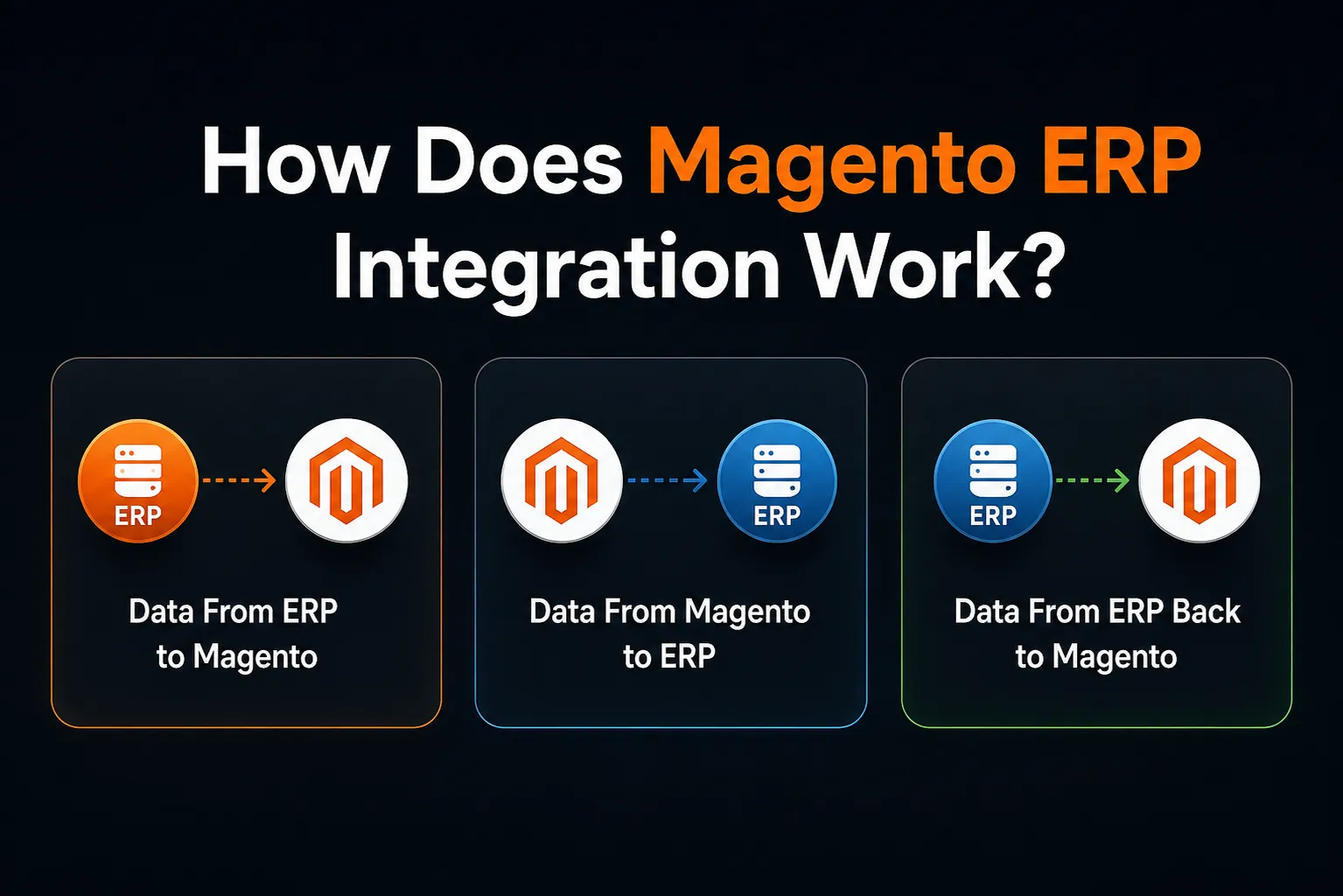
The exact workflow varies, but the data generally moves in three directions.
Data From ERP to Magento
The ERP system may send information such as:
- Product information
- SKUs
- Inventory levels
- Product availability
- Pricing information
For example, when inventory levels change in a warehouse, the ERP can update the information displayed in the Magento store.
Data From Magento to ERP
Magento may send:
- New orders
- Customer information
- Order details
- Purchased products
- Payment-related data
This allows the ERP to receive the information needed for order processing and fulfillment.
Data From ERP Back to Magento
After the ERP processes an order, it may send information back to Magento, including:
- Order status
- Shipment information
- Tracking details
- Invoice information
The result is a connected workflow:
Customer places an order → Magento captures the order → ERP processes the order → Warehouse fulfills it → Magento receives the updated order status
For larger businesses, Magento enterprise ERP integration may involve more than two systems. Magento may also need to communicate with:
- CRM platforms
- Product Information Management systems
- Warehouse Management Systems
- Accounting software
- Marketplace platforms
In these situations, the integration architecture becomes increasingly important.
What Data Can Be Synchronized Between Magento and an ERP?
The information synchronized between Magento and ERP software depends on the business model and operational requirements.
Common data types include:
| Data | Typical Direction |
| Product information | ERP → Magento |
| Inventory | ERP → Magento |
| Pricing | ERP → Magento |
| Customers | Magento → ERP or both |
| Orders | Magento → ERP |
| Invoices | ERP → Magento |
| Shipments | ERP → Magento |
| Tracking information | ERP → Magento |
Product and Catalog Data
The ERP may contain product-related operational data such as SKUs and availability.
However, businesses should clearly define which system manages specific information. For example, the ERP may control inventory while Magento manages product descriptions and storefront content.
This becomes particularly important when implementing a Custom Theme in Magento 2, where the customer-facing presentation layer may be customized independently of back-office product operations.
Inventory
Inventory synchronization is one of the most important features of Magento ERP software integration.
Incorrect inventory data can lead to:
- Overselling
- Customer dissatisfaction
- Order cancellations
- Orders
When customers place orders through Magento, order information can be automatically transferred to the ERP.
This reduces the need for manual data entry.
Shipping Information
Once an order is fulfilled, the ERP or connected warehouse system can send shipping and tracking details back to Magento. Not every data type requires real-time synchronization. Businesses should determine whether data needs to be synchronized:
- In real time
- Near real time
- At scheduled intervals
- In batches
Key Benefits of Magento ERP Integration
The primary purpose of Magento ERP integration is to create more efficient connections between eCommerce and business operations.
Automated Order Processing
Manual order entry can become increasingly difficult as order volumes grow.
Magento ERP integration can automatically transfer order information from the online store to the ERP, reducing repetitive administrative work.
Better Inventory Accuracy
When inventory is updated across connected systems, businesses can maintain more accurate stock information.
This is particularly important for businesses selling through multiple channels.
Reduced Manual Data Entry
Employees do not need to repeatedly enter the same information into separate systems.
This can help reduce human errors and administrative workload.
Faster Order Fulfillment
Once order information reaches the ERP, fulfillment teams can begin processing it without waiting for manual transfers.
Improved Customer Experience
Customers benefit from more accurate information about:
- Product availability
- Order status
- Shipping updates
Better Business Visibility
Magento ERP solutions can connect online sales activity with broader operational data.
This can help businesses understand the relationship between orders, inventory, fulfillment, and other business processes.
Improved Scalability
As an eCommerce business grows, disconnected systems can create operational bottlenecks.
Integration can support higher transaction volumes and more complex workflows.
Businesses planning broader digital expansion may also evaluate eCommerce Development Companies that understand both customer-facing development and complex back-office integrations.
Magento ERP Integration Methods
There is no single Magento ERP integration method that works for every business.
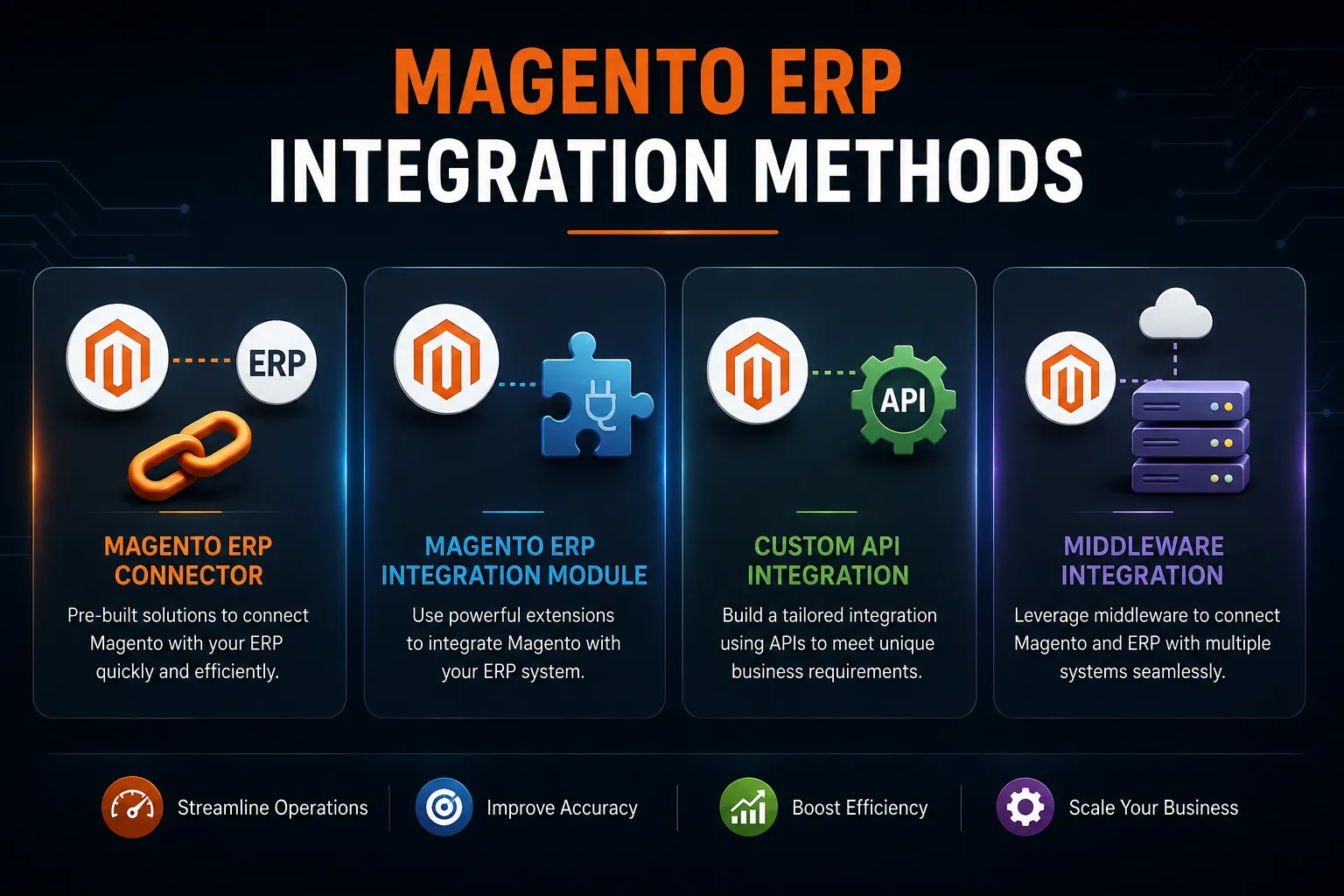
The best approach depends on the ERP platform, required workflows, customization requirements, and long-term scalability.
Magento ERP Connector
A Magento ERP connector is generally a pre-built solution designed to connect Magento with a particular ERP system.
A connector may be suitable for businesses with:
- Standard workflows
- Supported ERP platforms
- Limited customization requirements
- The main advantage is faster implementation.
However, businesses should confirm that the connector supports the required data flows before selecting it.
A connector that handles inventory synchronization may not necessarily support complex pricing, product, or fulfillment workflows.
Magento ERP Integration Module
A Magento ERP integration module is typically an extension that provides integration functionality.
Modules can be useful for standard requirements, but businesses should evaluate:
- Magento compatibility
- ERP compatibility
- Supported data types
- Customization capabilities
- Error handling
- Security
- Ongoing support
Installing a module does not automatically mean the integration is complete. Complex workflows may still require customization.
Custom API Integration
Custom API development provides greater flexibility.
A custom Magento 2 ERP integration may be appropriate when a business has:
- Custom ERP software
- Complex workflows
- Unique product structures
- Specialized fulfillment processes
- Advanced automation requirements
The main advantage is that the integration can be designed around the actual business process.
However, custom development requires careful planning, testing, and maintenance.
Businesses with highly specialized requirements may need to hire Magento developers with experience in APIs, third-party integrations, and complex Magento architecture.
Middleware Integration
Middleware acts as a layer between Magento and external systems.
For example:
Magento ↔ Middleware ↔ ERP
Middleware can also connect other systems, including:
- CRM
- PIM
- WMS
- Accounting platforms
This approach can be useful for complex businesses that manage multiple connected applications.
How to Choose the Best ERP for Magento
There is no universal answer to the question, “What is the best ERP for Magento?”
The right solution depends on the business.
When evaluating Magento ERP software, consider the following.
Business Size
A small business may require a different solution than a large enterprise managing multiple warehouses and international operations.
Order Volume
Businesses processing high volumes of transactions should evaluate whether the ERP and integration can handle increasing demand.
Inventory Complexity
Consider whether the business manages:
- Multiple warehouses
- Multiple inventory locations
- Large product catalogs
- Complex product structures
Existing Technology
The ERP should work effectively with the existing technology environment.
Integration compatibility with other platforms should also be considered.
API Capabilities
Before choosing an ERP, businesses should understand its API capabilities.
Evaluate:
- Available endpoints
- Authentication methods
- Rate limits
- Documentation
- Data access capabilities
Scalability
The ERP should support future growth.
Popular options that businesses may evaluate include SAP, Oracle NetSuite, Microsoft Dynamics 365, and Odoo. However, the best ERP for Magento depends on specific operational requirements rather than popularity.
Businesses should also evaluate the overall technology stack alongside the eCommerce platform. Understanding different Free and Open Source eCommerce Platforms can provide additional context when comparing broader eCommerce technology options.
Step-by-Step Magento ERP Integration Process
Successful integration requires planning before development begins.
Step 1: Define Business Requirements
Start by identifying the problems the integration needs to solve.
For example:
- Is manual order processing taking too long?
- Is inventory inconsistent?
- Are teams entering duplicate data?
- Are fulfillment updates delayed?
The answers will help define the integration requirements.
Step 2: Identify the Data to Synchronize
Determine exactly what information needs to move between Magento and the ERP.
This may include:
- Products
- Inventory
- Pricing
- Customers
- Orders
- Shipments
- Invoices
Avoid synchronizing information that does not provide operational value.
Step 3: Define the Source of Truth
Each data type should have a clearly defined owner.
For example:
| Data | Primary System |
| Inventory | ERP |
| Pricing | ERP |
| Storefront content | Magento |
| Online orders | Magento |
Without clear ownership, systems may overwrite each other’s data.
Step 4: Select the Integration Method
Choose between:
- A connector
- An integration module
- Custom API development
- Middleware
The right option depends on current and future requirements.
Step 5: Map the Data
Magento and ERP systems may structure information differently.
Data mapping ensures information from one platform is correctly understood by the other.
Step 6: Test the Integration
Testing should include both normal and unusual scenarios.
Test:
- New orders
- Inventory changes
- Product updates
- Failed transactions
- Duplicate records
- Shipping updates
Step 7: Monitor and Optimize
The integration should continue to be monitored after launch.
Track:
- Synchronization errors
- API failures
- Performance issues
- Data discrepancies
For businesses planning implementation budgets, the cost for Magento website development should also account for third-party integration complexity. ERP integration requirements can significantly affect the overall development effort.
Common Magento ERP Integration Challenges
Magento ERP integration can improve business operations, but several challenges must be addressed.
Data Mapping Problems
Magento and the ERP may use different data structures.
Incorrect field mapping can lead to missing or inaccurate information.
Inventory Synchronization Delays
Delayed inventory updates can result in incorrect stock information.
This may cause overselling and fulfillment problems.
Duplicate Records
Poor synchronization logic can create duplicate orders or customer records.
API Limitations
Some ERP systems have API restrictions, rate limits, or limited access to certain data.
These limitations should be identified early.
Complex Product Structures
Configurable products, bundles, and other complex product types may require additional integration logic.
Scalability Issues
An integration that works with a small number of transactions may struggle as the business grows.
These Magento ERP integration challenges demonstrate why integration architecture should be planned around business requirements rather than simply installing an extension.
Best Practices for Magento ERP Integration
A reliable integration requires ongoing planning and management.
Define Clear Data Ownership
Every major data entity should have a clearly defined source of truth.
Test in a Staging Environment
Integration changes should be tested before deployment to production.
Implement Error Monitoring
Failed synchronization events should be identified quickly.
Logs and alerts can help technical teams investigate problems.
Secure API Access
APIs should use appropriate authentication and access permissions.
Avoid Unnecessary Real-Time Synchronization
Not every workflow requires instant updates.
Scheduled synchronization may be sufficient for certain types of data.
Plan for Scalability
The integration should support future changes, including:
- Higher order volumes
- More products
- Additional warehouses
- New sales channels
- Additional business systems
Businesses operating marketplaces should also consider whether their architecture supports a Platform for Multi-Vendor eCommerce Website Development, as multi-vendor operations can introduce additional inventory, order, and data synchronization requirements.
When Should You Consider Magento ERP Integration?
Magento ERP integration may be particularly valuable when:
- Your team manually enters orders into another system.
- Inventory information is frequently inaccurate.
- You manage multiple warehouses.
- Order volumes are increasing.
- Your business sells through multiple channels.
- Your fulfillment processes are becoming more complex.
- Multiple teams work with disconnected systems.
The integration does not necessarily need to be highly complex from the beginning.
Businesses can start by connecting the most important workflows and expand the integration as requirements grow.
Magento ERP Integration Services: What Should Businesses Look For?
Businesses evaluating Magento ERP integration services should look beyond basic platform knowledge.
A capable integration team should understand:
- Magento or Adobe Commerce architecture
- ERP systems
- APIs
- Data mapping
- Authentication
- Error handling
- Business workflows
- Integration testing
The provider should also understand how the integration fits into the broader eCommerce ecosystem.
For complex enterprise requirements, working with an experienced Adobe Commerce Development Company may be necessary, particularly when the project involves customized workflows, multiple systems, and significant transaction volumes.
The goal should not simply be to connect two platforms.
The goal should be to create a reliable workflow that supports daily business operations.
Conclusion
Magento ERP integration connects the customer-facing eCommerce store with important back-office operations.
By synchronizing information such as orders, inventory, products, and shipment updates, businesses can reduce manual processes and create more connected workflows.
However, successful Magento ERP integration requires more than installing a connector or module. Businesses should clearly define their requirements, establish data ownership, select an appropriate integration method, test workflows thoroughly, and monitor the system after launch.
The right approach depends on the ERP platform, operational complexity, existing technology stack, and future business goals.
Tags
Categories
Recent Posts
Popular Posts
- How to Choose a Reliable Offshore Development Partner?
- Transforming Web Development with HTMX’s Declarative Approach for Dynamic UIs
- Top 15 Ecommerce Growth Strategies to Maximize Sales in 2026
- What is B2B Web Design? Benefits, Best Practices, and Examples
- Why Your Conversion Funnel Needs a Composable Commerce Solution?