- What Is Magento 1 to Magento 2 Migration?
- Magento 1 vs Magento 2: What Is the Difference?
- Why Upgrade Magento 1 to Magento 2?
- What Needs to Be Migrated From Magento 1 to Magento 2?
- Magento 1 to Magento 2 Migration Steps
- Step 1: Audit the Existing Magento 1 Store
- Step 2: Create Backups and Prepare Magento 2
- Step 3: Review the Theme, Extensions, and Custom Code
- Step 4: Perform Magento 1 to 2 Data Migration
- Step 5: Rebuild Functionality and Configure Integrations
- Step 6: Test the Store and Protect SEO
- Step 7: Perform Final Data Sync and Launch
- Magento Migration Checklist
- Magento 2 Migration Cost: What Should You Expect?
- Should You Use Magento Migration Services?
- Best Practices and Common Mistakes
- Final Thoughts
If your online store is still running on Magento 1, moving to Magento 2 is no longer something you should treat as a minor technical update.
Magento 1 to Magento 2 migration is a larger process. It involves moving important store data, rebuilding parts of the website, reviewing extensions, handling custom functionality, and making sure customers can continue shopping without disruption.
That sounds like a lot because, honestly, it can be.
But a well-planned migration does not have to become a messy project. The key is understanding what needs to move, what needs to be rebuilt, and what should be left behind.
This Magento 2 migration guide covers the complete process, including Magento 1 to Magento 2 migration steps, data migration, costs, common challenges, and best practices.
What Is Magento 1 to Magento 2 Migration?
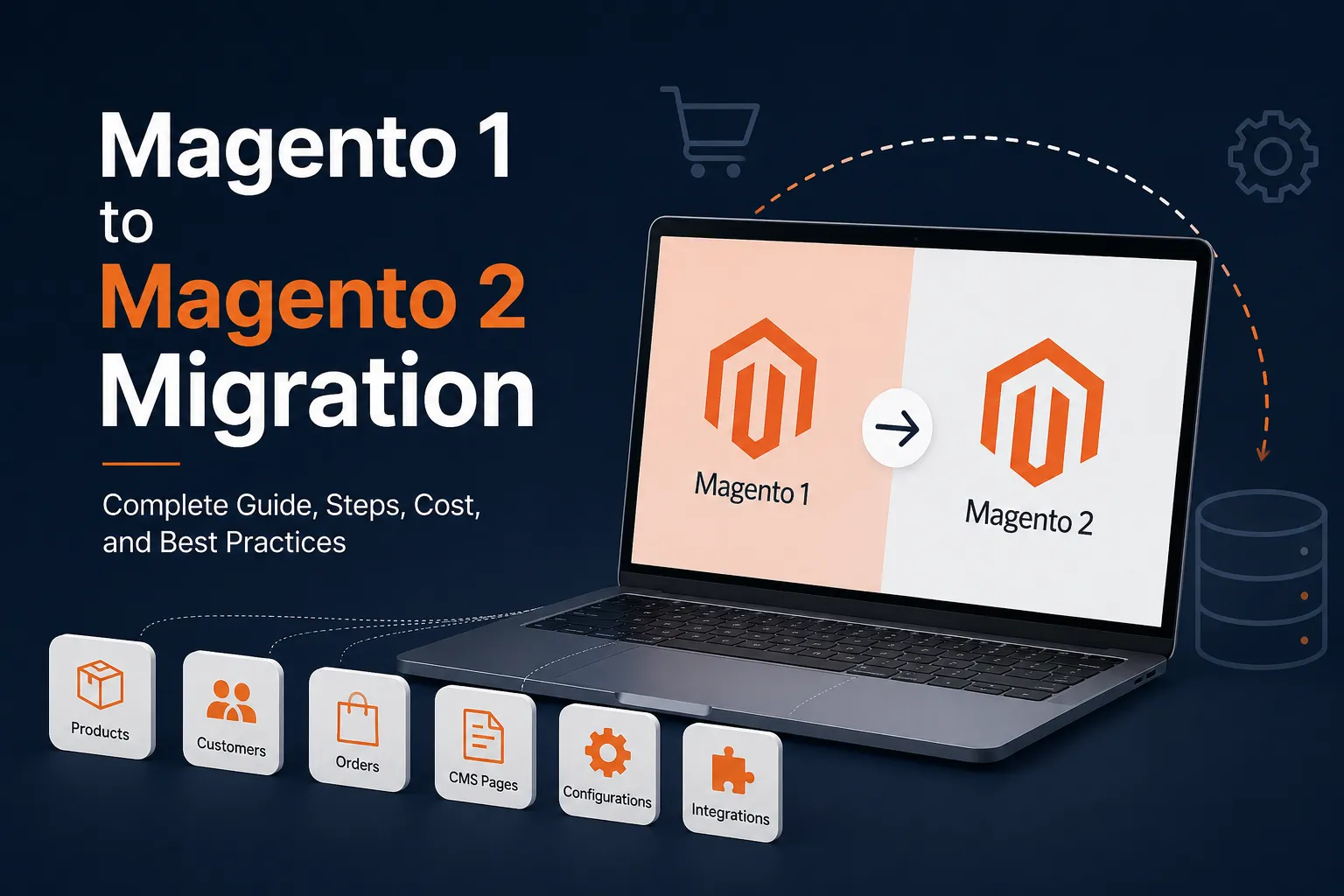
Magento 1 to Magento 2 migration is the process of moving an existing eCommerce store from Magento 1 to Magento 2.
It can involve migrating:
- Products and categories
- Customer accounts
- Orders
- Product images
- CMS pages
- Store configurations
- SEO settings
- Third-party integrations
It may also involve rebuilding the store’s theme, extensions, and custom functionality.
The important thing to understand is that Magento 2 is not simply an updated version of Magento 1.
You cannot usually install Magento 2 over an existing Magento 1 store and expect everything to continue working. The two platforms have significant technical differences.
Magento 1 themes and extensions generally cannot simply be copied into Magento 2. Custom code may also need to be rebuilt. This is why the project is often better described as Magento replatforming rather than a traditional software upgrade.
The migration gives businesses a chance to move away from outdated technology while also improving the store itself.
Magento 1 vs Magento 2: What Is the Difference?
Before planning the migration, it helps to understand the main differences between Magento 1 vs Magento 2.
| Area | Magento 1 | Magento 2 |
| Architecture | Older technology and code structure | More modern architecture |
| Performance | Can become difficult to optimize | Better support for modern performance technologies |
| Extensions | Built for Magento 1 | Requires Magento 2-compatible extensions |
| Themes | Older frontend structure | Different theme architecture |
| Scalability | Increasingly difficult to maintain | Built for modern eCommerce requirements |
| Support | Official support has ended | Active platform ecosystem and ongoing development |
The exact benefits of Magento 2 depend on how the store is built and configured.
Simply moving to Magento 2 will not automatically make a website fast or successful. Poor hosting, unnecessary extensions, and badly written custom code can still cause problems. The real advantage comes from using the migration as an opportunity to create a cleaner and more maintainable store.
Why Upgrade Magento 1 to Magento 2?
There are several reasons businesses choose to upgrade Magento 1 to Magento 2.
Security and support
Magento 1 has reached the end of its official support. For an eCommerce business, continuing to operate on unsupported technology can create security and maintenance concerns.
Online stores handle important customer and transaction data. Keeping the underlying platform secure should be a priority.
Compatibility issues
Technology changes quickly.
Payment providers, hosting environments, browsers, and third-party applications continue to evolve. Maintaining an older Magento 1 store can become increasingly difficult when extensions and integrations stop receiving updates.
Growing maintenance costs
Some businesses delay migration because they are concerned about the initial cost. However, maintaining an outdated store can also become expensive.
Over time, developers may spend more effort fixing compatibility issues, patching old code, and supporting outdated extensions.
Better foundation for future growth
Migration provides an opportunity to review the entire store.
You can remove unnecessary extensions, improve the customer experience, rebuild outdated features, and prepare the platform for future business requirements. Instead of simply moving old problems to a new platform, you can start with a cleaner foundation.
What Needs to Be Migrated From Magento 1 to Magento 2?
Every store is different, so the exact migration scope will vary.
However, most projects involve several core areas.
Products and categories
Product data is one of the most important parts of the migration.
Magento 1 to Magento 2 product migration can include:
- Product names
- SKUs
- Descriptions
- Prices
- Inventory
- Product images
- Categories
- Custom attributes
- Related products
- Upsell and cross-sell relationships
Before moving this data, review it.
Years of operating an eCommerce store can leave behind duplicate attributes, outdated categories, and products that are no longer relevant.
There is little value in transferring unnecessary clutter to the new store.
Customers and orders
Customer accounts and order history may also need to be migrated.
This can include customer profiles, addresses, account information, and historical orders.
The business should decide how much historical information needs to remain available in the new store.
For some companies, moving all order history makes sense. Others may migrate essential data while keeping older records in a separate archive.
CMS content
Do not forget content pages.
These may include:
- About Us
- Contact pages
- Shipping information
- Return policies
- FAQs
- Landing pages
The content itself may be migrated, but its layout may need to be rebuilt for the new Magento 2 theme.
Extensions and custom functionality
Extensions require careful review. Do not assume every Magento 1 extension needs to exist in Magento 2.
For each one, ask:
- Is this feature still being used?
- Is there a Magento 2-compatible version?
- Is there a better alternative?
- Can Magento 2 handle this requirement without an extension?
Custom functionality should also be reviewed based on business requirements. Some features may need to be rebuilt. Others may no longer be necessary.
Magento 1 to Magento 2 Migration Steps
A successful migration usually follows a structured process.
Here are the main Magento 1 to Magento 2 migration steps.
Step 1: Audit the Existing Magento 1 Store
Start with a complete audit.
Before moving anything, understand what currently exists.
Review:
- Magento version
- Product catalog
- Customer and order data
- Installed extensions
- Custom modules
- Third-party integrations
- Theme customizations
- Hosting environment
- SEO structure
The goal is to create a clear migration plan.
This step can also reveal problems that should not be carried into Magento 2.
For example, you may discover unused extensions, outdated functionality, or duplicate data.
A proper audit helps prevent unnecessary work later.
Step 2: Create Backups and Prepare Magento 2
Create complete backups of the Magento 1 store before starting the project.
This should include:
- Database
- Media files
- Source code
- Configuration files
The backups should be verified rather than simply created and forgotten.
Next, prepare the Magento 2 environment.
Most teams use separate environments for development, testing, and production. This allows developers to build and test the new store without affecting the live Magento 1 website.
The new environment should also be configured around the store’s technical requirements and expected traffic.
Step 3: Review the Theme, Extensions, and Custom Code
This is where many migration projects become more complex.
Magento 1 themes cannot simply be copied into Magento 2.
Businesses generally need to:
- Build a new custom theme.
- Adapt the existing design for Magento 2.
- Use a compatible Magento 2 theme as a starting point.
The same principle applies to extensions.
Review every important extension before replacing it.
Installing dozens of unnecessary extensions in Magento 2 can create new performance and maintenance problems.
Custom code should also be analyzed carefully.
The question should not be, “How do we copy this old code?”
Instead, ask, “Does the business still need this functionality, and what is the best way to build it for Magento 2?”
Step 4: Perform Magento 1 to 2 Data Migration
Once the new environment is ready, the main data migration can begin.
The Magento 1 to 2 data migration process may include:
- Products
- Categories
- Customers
- Orders
- Store configurations
- CMS content
A Magento 2 migration tool, such as the Magento Data Migration Tool, can help transfer supported data.
However, the tool is not a complete migration solution.
It does not automatically rebuild themes, extensions, or custom functionality.
Complex stores may also contain custom database tables and unique data structures that require additional development work.
After the initial migration, validate the data carefully.
Check product counts, customer information, prices, inventory, orders, and important attributes.
The goal is not just to move the data. It needs to work correctly in the new store.
Step 5: Rebuild Functionality and Configure Integrations
Next, rebuild the features that the business actually needs.
This may include:
- Custom product features
- B2B functionality
- Custom pricing
- Inventory workflows
- Checkout customizations
- ERP integrations
- CRM integrations
- For each requirement, decide whether to use:
- Built-in Magento functionality
- A compatible extension
- Custom development
Third-party integrations should be tested individually.
An integration that worked correctly in Magento 1 may require changes when connected to Magento 2.
This is one reason businesses with complex stores often work with Magento 2 migration experts.
Step 6: Test the Store and Protect SEO
Testing should cover the complete customer journey.
Do not only test the homepage.
Check:
- Customer registration
- Login and password recovery
- Product search
- Category navigation
- Product filters
- Add to cart
- Discount codes
- Checkout
- Payment processing
- Shipping calculations
- Order confirmation emails
Test the website on desktop and mobile devices.
Performance should also be reviewed before launch.
Protecting SEO during migration
SEO should be part of the project from the beginning.
A poorly managed migration can affect organic traffic and search visibility.
Review:
- Important URLs
- Redirects
- Page titles
- Meta descriptions
- Canonical tags
- Internal links
- XML sitemaps
- Robots directives
If URLs need to change, create proper redirect mappings.
After launch, monitor search visibility and technical errors closely.
Step 7: Perform Final Data Sync and Launch
The initial migration often happens while the Magento 1 store is still live.
During that time, customers can continue placing orders and creating accounts.
This creates new data.
Before launch, the latest information needs to be synchronized with Magento 2.
Once the final data migration is complete and testing is finished, the new store can go live.
The first few days after launch are important.
Monitor:
- Website availability
- Error logs
- Server performance
- Checkout activity
- Payment processing
- Orders
- Third-party integrations
- Customer feedback
Someone should also complete real test purchases after launch.
A store can pass testing in a staging environment and still encounter issues in production.
Magento Migration Checklist
Use this Magento 2 migration checklist to keep the project organized.
Planning
- Audit the Magento 1 store.
- Document extensions and custom functionality.
- Review third-party integrations.
- Analyze products and customer data.
- Back up the existing store.
- Identify important SEO URLs.
- Define the project scope and timeline.
Development and Migration
- Set up Magento 2 environments.
- Build the new theme.
- Install required extensions.
- Rebuild necessary functionality.
- Migrate products, customers, and orders.
- Configure payment and shipping systems.
- Connect third-party platforms.
Testing and Launch
- Validate migrated data.
- Test customer journeys.
- Check mobile usability.
- Test payment and checkout functionality.
- Review performance.
- Configure redirects and technical SEO settings.
- Perform final data synchronization.
- Prepare a rollback plan.
After Launch
- Monitor errors and website performance.
- Test real orders.
- Check integrations.
- Monitor SEO and organic traffic.
- Fix launch-related issues quickly.
Magento 2 Migration Cost: What Should You Expect?
Magento 2 migration cost varies significantly from one store to another. There is no fixed price because the project scope depends on the existing website. Businesses should also consider the overall Magento website cost, as migration expenses may include development, infrastructure, extensions, integrations, ongoing maintenance, and post-launch optimization.
The total cost may include:
- Technical audit
- Magento setup
- Data migration
- Theme development
- Extension replacement
- Custom development
- Third-party integrations
- SEO migration
- Testing
- Performance optimization
- Post-launch support
What affects the cost?
Store size and data complexity
A large product catalog can require more time to migrate and validate. However, the number of products is not the only factor.
A smaller store with highly customized products can sometimes be more complicated than a larger store with simple product data.
Custom functionality
Custom modules are often one of the biggest cost factors.
The more unique business workflows the store has, the more development may be required.
Theme requirements
A basic Magento 2 implementation will usually cost less than a completely custom frontend.
Migration is also a good opportunity to decide whether the existing design should be rebuilt or improved.
Extensions and integrations
Every required extension and third-party system adds to the project scope.
ERP, CRM, inventory, shipping, and payment integrations may require substantial testing and development work.
SEO requirements
Businesses that depend heavily on organic traffic should allocate enough time for SEO migration and testing.
Protecting existing search visibility should not be treated as an optional task.
The best way to get an accurate estimate is to complete a technical audit before finalizing the migration scope.
Should You Use Magento Migration Services?
The answer depends on your store and internal resources. A relatively simple store may be handled by an experienced internal team.
However, complex stores may benefit from specialized Magento migration services.
You may want to work with a Magento 2 migration company when your store has:
- Extensive custom code
- Large product catalogs
- Complex integrations
- Multiple stores
- B2B features
- High traffic
- Business-critical operations
When choosing a migration partner, do not focus only on price.
Look at the team’s:
- Magento experience
- Previous migration projects
- Discovery process
- Testing approach
- Communication
- Post-launch support
A good team should want to understand your existing store before giving you a detailed migration plan. If you prefer working with individual technical resources, you can also hire Magento migration developers.
In that case, make sure they understand both Magento 1 and Magento 2 architecture and have experience with data migration, custom development, integrations, and testing.
Best Practices and Common Mistakes
A few practical decisions can make the migration process much smoother.
1. Start with an audit
Do not estimate the project based on assumptions.
Understand the existing store first.
2. Do not copy everything
Migration is an opportunity to remove unnecessary extensions, outdated features, and unused data.
A cleaner store is easier to maintain.
3. Test real customer journeys
Do not stop at checking individual pages.
Test complete workflows from product discovery to order confirmation.
4. Plan SEO early
Redirects and technical SEO should be prepared before launch.
Trying to fix major SEO problems after traffic drops is much harder.
5. Avoid unnecessary extensions
More extensions do not always mean a better store.
Every extension should solve a real business problem.
6. Have a rollback plan
Even well-tested projects can experience unexpected problems.
A clear rollback plan helps the team respond quickly if a serious issue occurs.
Final Thoughts
Magento 1 to Magento 2 migration is more than moving an old website to a newer platform. It is a chance to review how your store works and build a stronger technical foundation.
Start with a proper audit. Understand what data, functionality, and integrations the business actually needs. Remove unnecessary complexity, test thoroughly, and plan the launch carefully. Whether you handle the project internally, use Magento migration services, or work with Magento 2 migration experts, preparation will have the biggest impact on the outcome.
A successful migration is not about copying the old store perfectly.
It is about building a Magento 2 store that is easier to maintain, works reliably, and supports the future needs of your eCommerce business.
Tags
Categories
Recent Posts
Popular Posts
- How to Choose a Reliable Offshore Development Partner?
- Transforming Web Development with HTMX’s Declarative Approach for Dynamic UIs
- Top 15 Ecommerce Growth Strategies to Maximize Sales in 2026
- What is B2B Web Design? Benefits, Best Practices, and Examples
- Why Your Conversion Funnel Needs a Composable Commerce Solution?