Most teams don’t simply struggle to build the right website anymore. In fact, their challenge lies in choosing the right foundation for this digital platform. For a leader, this highlights one question: Which platform can they choose to gain the right level of control, flexibility, and growth that is needed as part of their digital transformation goals?
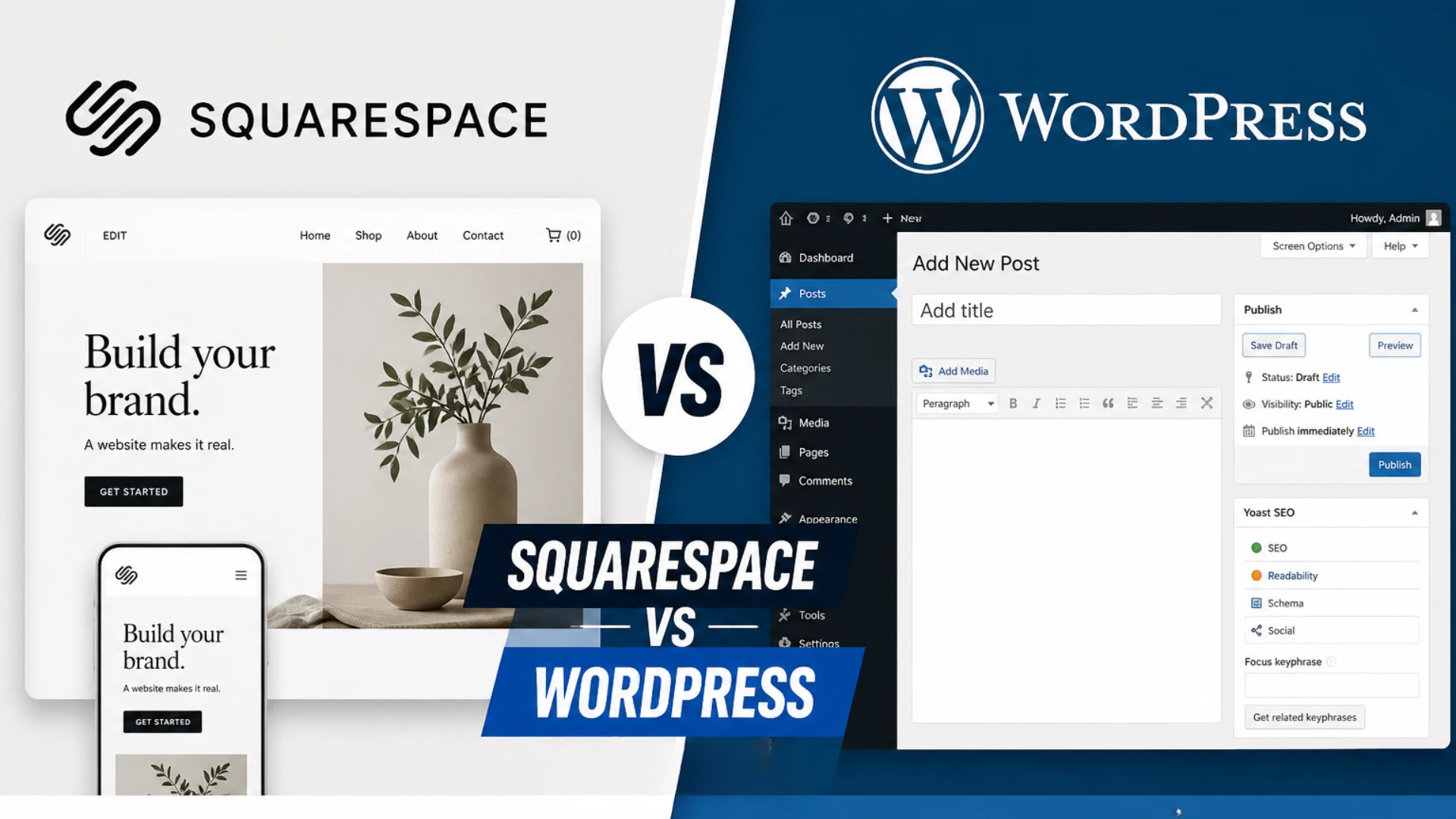
And will this choice be relevant a few years down the line, when higher scalability is needed? That’s where the decision drops down to two main choices. And that is Squarespace vs WordPress.
On one side, we have Squarespace that allows a streamlined, design-led website setup. Here, teams can launch their platform fast by getting everything on one platform.
WordPress powers around 42.5% of websites globally, with over 605 million sites, thanks to its strong customization and scalability. Choosing the right platform is crucial, as it impacts SEO, integrations, and long-term growth. This guide compares Squarespace and WordPress to help you pick the best option for your business.
What is Squarespace?
If your goal as a business leader is to launch the website quickly and reduce your technical challenges on the way, then Squarespace is the right choice. But before you make this choice confidently, let us first understand more about this platform.
Squarespace is an all-in-one tool that allows teams to build a website easily. Here, aspects like hosting, themes, designs, and plugins are tied in a closed ecosystem.
Key Features
Now, let us explore some features of this simple and fast website builder tool.
- It is an all-in-one platform where teams can manage everything, from hosting, security, updates, and much more in a single platform.
- Professionals can easily create visually appealing and responsive website designs.
- It supports SEO performance, analytics, email campaigns, and integrations as well.
- This tool offers a simple drag-and-drop option to build an interactive interface without coding.
- Among other key aspects, the Squarespace ecommerce features include supporting easy updates of product listings, payments, and order management.
Business Benefits
From a business point of view, here are some of the benefits of opting for this platform:
- It ensures a faster time to launch a website.
- Teams do not need to take care of managing highly technical tasks on their own. This is because every aspect is well managed through the platform itself.
- Herein, designing webpages is easy, which also helps maintain brand consistency.
- Its cost is based on a pre-decided subscription, which is easier to manage on a monthly or annual basis.
- Marketing and content teams can efficiently manage their tasks and optimize their results through this platform.
Key Challenges and Their Resolutions
To understand this platform better, leaders also need to know about the limitations of choosing this platform. This is further explained along with their solutions so that teams can get past them to achieve their desired results.
Here are the key challenges (and solutions) for this platform, shared below:
Limited Customization
- Challenge: This platform is naturally built in a way that makes it easy to use. However, this restricts teams from making deep-level customizations in code.
- Solution: So teams can use custom CSS, integrations, and developer mode to overcome this challenge.
Scalability
- Challenge: Based on its features, this platform is not the best fit for highly complex, large-scale platforms.
- Solution: For overcoming this challenge, leaders can consider migrating to other platforms if they want higher flexibility for their growing website.
Advanced SEO Features
- Challenge: If a team wants to use advanced technical SEO, there are certain restrictions that they may face.
- Solution: Ideally, focusing on optimizing content structure and quality, while focusing on on-page SEO, can help with website performance.
Platform Lock-In
- Challenge: If a team is using Squarespace, migrating to another platform may be technically complicated.
- Solution: In this case, hiring professionals to switch from Squarespace to WordPress can be helpful and liberating for the teams.
As a result, we can say that Squarespace, as a platform, works best if teams want more speed and simplicity in managing their website. However, in terms of flexibility, SEO, and control, this platform may pose a challenge.
What is WordPress?
If Squarespace is about simplicity and speed, then WordPress, as a platform, is more inclined to offer better control and scalability. This is an open-source content management system (CMS) that allows teams to build anything from a simple blog or an article to a complete, large-scale web platform.
Essentially, what defines this ecosystem is its modular architecture, where brands can choose this hosting, themes, and plugins based on their needs. Additionally, this platform also offers more ownership to professionals, where they can customize their website setup and maintenance.
Key Features
That being said, here are some of the key highlights related to this platform for businesses.
- WordPress is an open-source platform that is highly customizable in terms of hosting, themes, and plugins.
- It offers extensive plugins for SEO, performance, security, and much more to help growing businesses.
- This tool provides better control over technical SEO and its related features.
- It allows teams an opportunity to enable higher content optimization, which is why this platform is helpful in managing dynamic web pages.
- What’s more, it supports teams by offering a scalable architecture.
Business Benefits
As we proceed with our research, let us look into the benefits of choosing this platform for enterprises. They are mentioned below:
- This platform offers better ownership and control.
- It is better suited for websites that need higher SEO optimization and scope for scalability.
- What’s more, this tool is also highly integration-friendly as it can easily connect CRM and other platforms, allowing better collaboration among teams.
- Considering Squarespace vs WordPress pricing, the latter has a relatively higher setup cost; however, in the long run, it is more cost-effective for companies.
Key Challenges and Their Resolutions
Now, let us understand some of the challenge areas that enterprises may face when they choose WordPress. This is also complemented by its necessary and feasible solutions.
Technical Complexity
- Challenge: Considering Squarespace vs WordPress ease of use and complexity, WordPress requires time and effort to set up, host, and maintain.
- Solution: Companies are recommended to use managed WordPress hosting to manage this complexity. They can also work with experienced developers to deal with the same.
Responsibility to Manage Security
- Challenge: For securely managing this open ecosystem, security needs to be worked on. Otherwise, the system may be open to the risk of data breaches.
- Solution: Herein, teams need to correctly plan and implement necessary security plugins to avoid this risk. Additionally, maintaining backups and regular updates is also a non-negotiable for this purpose.
Plugin Overload Risk
- Challenge: Adding too many plugins may cause the website to slow down.
- Solution: To avoid this risk, choosing too many plugins and only the highly essential ones is a great idea. Moreover, their performance needs to be audited to ensure optimal results.
Thus, WordPress is a great website builder tool that can help teams customize and choose the website components. However, teams have more technical responsibility on their hands if they choose this platform.
Squarespace vs WordPress: A Detailed Comparison
At this point, we can say that the decision is no longer about the features of each platform, but how it actually fits the company’s needs.
So, now let’s closely examine them in comparison to assess what actually can be a better fit for your company. Here is a table sharing this comparison.
| Difference | Squarespace | WordPress |
| Ease of Use |
|
|
| Customization |
|
|
| SEO Capabilities |
|
|
| Performance |
|
|
| Scalability |
|
|
| Design Flexibility |
|
|
| Maintenance |
|
|
| Ecommerce |
|
|
| Cost Structure |
|
|
| Ownership and Control |
|
|
With this Squarespace vs WordPress comparison being clearer for teams, let us understand when a business should choose Squarespace, and in which cases WordPress is more ideal for leaders.
When Should You Choose Squarespace?
Squarespace, as a platform choice, is better suited for the following:
- Companies that need to launch quickly and have a simple setup,
- Teams that prefer an all-in-one platform
- Teams that seek a less complex platform solution
Overall, if your website scope is small to medium, and for the website, deep customizations are not very necessary, then the Squarespace platform is a better choice.
When Should You Choose WordPress?
On the contrary, companies can choose WordPress in the following cases:
- When the project requires higher customization
- In cases when the webpages are more dynamic and content-heavy
- For teams that want more SEO-centric ownership and control
So, WordPress is a better choice when a company wants to achieve higher scalability and growth.
Final Thoughts on WordPress vs. Squarespace
Clearly, the choice between Squarespace and WordPress ultimately comes down to aspects like simplicity and control. And they work as a deciding factor in this choice. Ultimately, for a leader, deciding this platform’s choice should be based on the present and future goals. Moreover, they should not overlook the long-term view of how this decision will affect their website’s performance.
Finally, examining all these perspectives and taking the guidance of experts in the industry can help you make the right decision. With that, we can conclude with the thought that the choice is not between Squarespace and WordPress.
Rather, it is between the kind of simplicity, technical control, and SEO features that you want for your platform, in terms of WordPress website development. Overall, weigh the platform choice correctly to take the right call in this regard.
Tags
Categories
Recent Posts
Popular Posts
- How to Choose a Reliable Offshore Development Partner?
- Transforming Web Development with HTMX’s Declarative Approach for Dynamic UIs
- Top 15 Ecommerce Growth Strategies to Maximize Sales in 2026
- What is B2B Web Design? Benefits, Best Practices, and Examples
- Why Your Conversion Funnel Needs a Composable Commerce Solution?