
- What Is Figma to HTML Conversion?
- How to Convert Figma to HTML Code
- Figma to HTML Conversion Using Plugins
- Manual Figma to HTML Conversion Method
- Other Ways to Export Figma Design to HTML
- Manual Figma to HTML vs Plugins: Which Is Better?
- Best Layout Types for Figma to HTML Conversion
- Figma vs PSD for HTML Conversion
- Why Convert Figma Design to HTML?
- Best Method to Convert Figma to HTML
- Figma to HTML Pricing and Cost Factors
- Professional Figma to HTML Conversion Services
- Why Choose CSSChopper for Figma to HTML Development
Figma has established itself as the primary ecosystem for user interface and user experience design in the modern web era. However, a design file is essentially a visual blueprint that remains static until it is translated into a language that web browsers can interpret.
To move from a prototype to a live product, the design must be converted into clean, responsive, and SEO-ready frontend code. This critical transition is known as Figma to HTML conversion. In 2026, this process is more than just styling a few boxes. It involves the integration of design tokens, the application of complex CSS grid systems, and the optimization of assets for lightning-fast load times.
This guide serves as a comprehensive resource for developers, project managers, and business owners. We will explain the technicalities of the conversion process, compare modern methodologies, analyze cost structures, and provide a framework for choosing the right approach for scalable frontend development.
What Is Figma to HTML Conversion?
Figma to HTML conversion is the technical process of translating a design created in Figma into functional HTML5, CSS3, and JavaScript code. This is not merely a visual replication but a structural transformation. The objective is to match the design aesthetics perfectly while ensuring that the underlying code is performant, accessible, and maintainable.
When we discuss professional conversion in 2026, we are referring to the creation of a “living” document. This means the HTML must be semantic so that screen readers can parse it for visually impaired users. The CSS must be modular to prevent style leaks across different pages.
The JavaScript must be optimized to ensure the main thread of the browser is not blocked. A professional Figma to HTML conversion focuses on clean structure, reusable CSS, and optimized frontend performance. It serves as the foundation upon which all digital marketing and user retention efforts are built.
How to Convert Figma to HTML Code
There are multiple ways to convert Figma to HTML code, depending on project size, timeline, and quality expectations. The most common methods include plugins, manual coding, and third-party tools. As the web evolves, the tools available to developers have become more sophisticated, yet the fundamental requirement for high-quality, human-readable code has not changed.
Choosing the right method requires an understanding of the project lifecycle. A temporary landing page for a weekend event might be handled differently from a core banking application. In the following sections, we will dissect these methods to help you identify which path aligns with your specific technical requirements and business objectives.
Figma to HTML Conversion Using Plugins
Figma to HTML plugins automatically generate HTML and CSS from design files. These tools are often used for quick prototypes or internal demos. They work by scanning the layers, groups, and frames within a Figma file and attempting to guess the most appropriate CSS properties to represent them.
In 2026, many of these plugins use advanced layout engines to recognize patterns like navigation bars or galleries.
Pros of Figma to HTML Plugins
- Fast output: Plugins can generate a visual representation in code within minutes, which is ideal for internal demonstrations or proof of concept phases.
- Minimal setup: There is no need to configure complex build tools or environments to get a basic version of the site running.
- Useful for simple layouts: For very basic, one-page designs with minimal interaction, a plugin can provide a sufficient head start.
Cons of Figma to HTML Plugins
- Messy and bloated HTML: Automated tools frequently produce redundant nested tags and a “div soup” structure that is difficult for search engines to crawl.
- Poor CSS scalability: The generated styles are often hard-coded with absolute positioning or specific pixel values that do not adapt well to larger project changes.
- Limited responsiveness: While some plugins claim to handle mobile views, they often struggle with complex transitions between different screen sizes.
- Weak SEO structure: Plugins rarely prioritize semantic tags like <nav>, <main>, or <article>, which are critical for search engine rankings.
Plugins are not recommended for production-grade Figma to HTML development because they lack the nuance and strategic thinking of a human developer.
Manual Figma to HTML Conversion Method
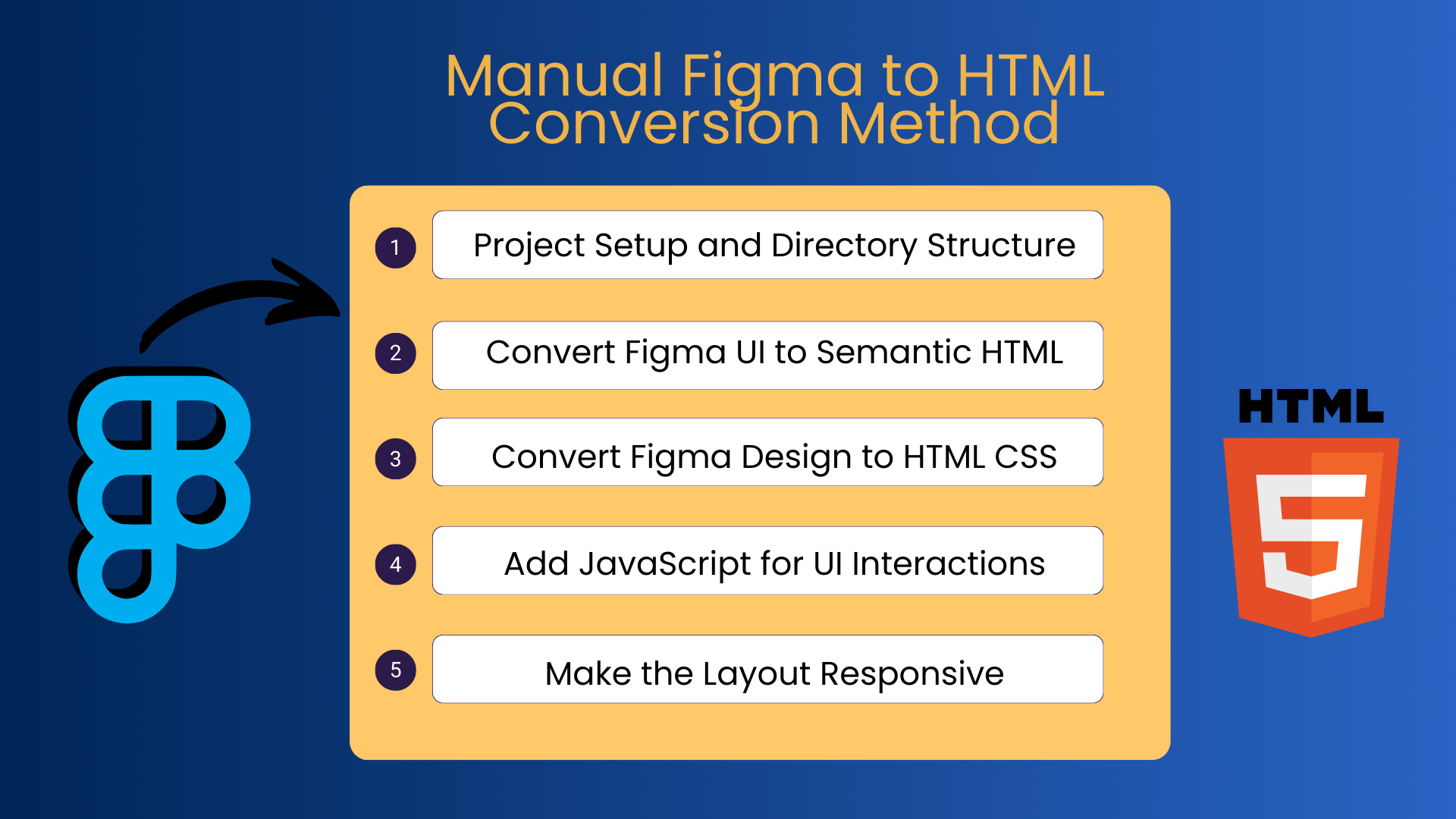
Manual coding is the most reliable way to convert Figma design to HTML for real-world websites. It ensures accuracy, performance, and long-term maintainability. This method involves a developer interpreting the design and writing bespoke code that is optimized for specific project needs. It provides the highest level of control over the final product and is the only way to ensure 100 percent compliance with modern web standards.
Step 1: Project Setup and Directory Structure
A professional project begins with a logical architecture. Create a clean folder structure for HTML, CSS, JavaScript, and assets. This supports scalable Figma to frontend code development.
In 2026, this often involves setting up a modern build tool like Vite or a framework like Next.js. Proper directory organization ensures that as the site grows from five pages to five hundred pages, the codebase remains navigable and easy to update.
Step 2: Convert Figma UI to Semantic HTML
Write SEO-friendly and accessible HTML using proper tags such as header, section, article, and footer. This improves both usability and search visibility. During this step, the developer looks at the Figma design and identifies the logical flow of information.
By using the correct tags, you are providing a map for search engines, which directly correlates to how high your site will rank in search results.
Step 3: Convert Figma Design to HTML CSS
Implement layouts using Flexbox or Grid. Maintain consistent typography, spacing, and colors to achieve pixel-perfect Figma to HTML CSS results. In this phase, developers translate Figma styles into CSS variables or utility classes. This ensures that if a brand color changes in the future, it only needs to be updated in one place rather than in hundreds of individual files.
Step 4: Add JavaScript for UI Interactions
Use JavaScript only where required, such as menus, forms, and interactive components, to keep performance optimized. In 2026, the industry has moved toward “lightweight” interactivity. Rather than using massive libraries for simple tasks, developers use vanilla JavaScript or small, focused modules.
This keeps the total file size of the website low and ensures that users on slower mobile connections still have a smooth experience.
Step 5: Make the Layout Responsive
Apply mobile-first CSS and test across devices. Responsiveness is critical for professional Figma UI to HTML conversion. This step involves more than just making elements smaller. It involves rethinking how information is displayed on a vertical phone screen versus a wide desktop monitor. A professional developer will use media queries and container queries to ensure the site feels native to every device it is viewed on.
Other Ways to Export Figma Design to HTML
1. Export Figma to HTML Using Inspect Mode
Figma Inspect helps developers extract CSS properties, spacing, fonts, and assets. It speeds up development but still requires manual coding. This is a hybrid approach where the tool provides the “what” (the exact pixel values and hex codes), and the developer provides the “how” (the structural logic). It is the most common workflow for professional teams because it eliminates the errors associated with “eyeballing” a design.
2. Convert Figma to HTML Using Third-Party Tools
Third-party tools attempt to automate conversion but often struggle with complex layouts, animations, and SEO requirements. Platforms like Webflow or Framer allow for a visual building experience that exports code. While these are more robust than simple plugins, they often lock the user into a specific ecosystem or generate code that is difficult for an outside developer to modify later.
Manual Figma to HTML vs Plugins: Which Is Better?
Manual conversion offers clean code, better SEO, accessibility, and scalability. Plugins are faster but unsuitable for production websites. When you choose manual conversion, you are investing in a long-term asset. When you choose a plugin, you are often choosing a short-term fix that will eventually need to be rewritten.
For long-term projects, manual Figma to HTML conversion is always the better choice because it avoids the technical debt that eventually slows down a business.
Things to Consider Before Converting Figma to HTML
Before starting the conversion process, review:
- Design consistency: Ensure that all buttons, fonts, and colors are standardized in a design system.
- Component reuse: Identify elements that appear on multiple pages to create reusable code snippets.
- Font licensing: Verify that the web fonts used in the design are licensed for online use.
- Image optimization: Prepare all visual assets for the web by using formats like WebP or SVG.
- Browser compatibility: Determine which browsers the site must support, especially if the design uses very modern CSS features.
Proper planning reduces errors and controls overall Figma to HTML cost by preventing expensive mid-project changes.
Best Layout Types for Figma to HTML Conversion
1. Responsive Layout
The most recommended layout type for modern websites. It adapts seamlessly across devices by using fluid grids and flexible images. It is the gold standard because it provides a consistent experience for all users regardless of their hardware.
2. Fixed Layout
Maintains a constant width regardless of the screen size. Suitable only for specific use cases like certain internal business dashboards or legacy applications. This layout type is generally avoided for public-facing websites in 2026 because it fails to provide a good mobile experience.
3. Fluid Layout
Uses percentage-based widths and offers flexibility, but needs extensive testing. Fluid layouts ensure that the design fills the screen entirely, but they can be difficult to manage on extremely wide monitors where lines of text may become too long to read comfortably.
4. Tabled Layout
Rarely used today and mainly limited to email templates. While tables were the primary way to build websites in the late 1990s, they are now considered bad practice for web layouts because they are not accessible and are difficult to make responsive.
Figma vs PSD for HTML Conversion
Figma offers cloud collaboration, real-time updates, and developer-friendly handoff tools. PSD relies on static files and slower workflows. Photoshop was originally designed for photo editing, not web design. Figma, however, was built specifically for the web.
It uses a vector-based system that mirrors the way HTML and CSS render shapes. For modern Figma to HTML conversion, Figma is the preferred choice because it reduces the friction between the design phase and the development phase.
Why Convert Figma Design to HTML?
Converting Figma design to HTML helps businesses:
- Launch websites faster: A clear conversion path prevents delays in the development cycle.
- Maintain design accuracy: Proper conversion ensures the final site looks exactly like the approved design.
- Improve SEO readiness: Clean code is easier for search engines to index, leading to better rankings.
- Ensure mobile compatibility: Modern conversion techniques guarantee that mobile users have a high-quality experience.
A professional Figma to HTML conversion delivers long-term scalability and performance, which are essential for staying competitive in a crowded digital marketplace.
Best Method to Convert Figma to HTML
The best method depends on project requirements:
- Prototypes: Plugins are sufficient for showing a concept to stakeholders.
- Small sites: A hybrid approach using Figma Inspect and manual coding is efficient.
- Scalable products: Full manual conversion is necessary for performance and security.
For quality-focused projects, manual Figma to HTML development is the most reliable approach because it puts the user experience first.
Figma to HTML Pricing and Cost Factors
Figma to HTML pricing depends on several key variables:
- Design complexity: A site with complex overlapping elements and custom shapes takes longer to code.
- Number of pages: Each unique layout requires a separate effort for structure and testing.
- Responsiveness needs: If the design requires different layouts for mobile, tablet, and desktop, the workload increases.
- JavaScript functionality: Custom animations, API integrations, and complex forms add to the development time.
The overall Figma to HTML cost varies by scope. Working with a Figma to HTML conversion company ensures predictable pricing and timelines, as they have refined processes to estimate these factors accurately.
Professional Figma to HTML Conversion Services
A professional Figma to HTML conversion service delivers clean, SEO-friendly, and scalable frontend code. Many businesses choose to hire a Figma to HTML developer or partner with a Figma to HTML agency to avoid technical debt. These services bring a level of expertise that ensures the site will be compatible with future browser updates and security standards.
A trusted Figma to HTML conversion company ensures consistent quality and modern coding standards across all project phases.
Why Choose CSSChopper for Figma to HTML Development
CSSChopper provides professional Figma to HTML development focused on performance, responsiveness, and code quality. The team follows a manual-first approach to ensure clean HTML, optimized CSS, and scalable frontend architecture. They understand that a website is a business asset that must perform under pressure.
By combining years of technical experience with a deep understanding of modern design trends, they ensure that every pixel in the Figma file is represented perfectly in the code. Businesses looking to hire a Figma to HTML developer or work with a reliable Figma to HTML agency choose CSSChopper for quality-driven execution and transparent Figma to HTML pricing.
Categories
Recent Posts
Popular Posts
- How to Choose a Reliable Offshore Development Partner?
- Transforming Web Development with HTMX’s Declarative Approach for Dynamic UIs
- Why Your Conversion Funnel Needs a Composable Commerce Solution?
- What is B2B Web Design? Benefits, Best Practices, and Examples
- Top 15 Ecommerce Growth Strategies to Maximize Sales in 2026