- What is a Static Website?
- What is a Dynamic Website?
- Static vs Dynamic Website: Key Differences
- When a Business Should Choose a Static Website?
- When a Business Should Choose a Dynamic Website
- Where Hybrid Architectures Fit In Enterprise Planning
- Static vs Dynamic Website Cost Comparison
- How to Decide Between Static vs Dynamic Websites
- Conclusion
- CSSChopper Expertise in Building Static and Dynamic Websites
If you’re running an enterprise website today, you already know the pressure. Customers want fast and reliable experiences. Teams want easier publishing, and leaders want a platform that can scale without breaking budgets. Digital expectations keep rising, and outdated systems can slow everything down.
In most cases, businesses start their decision-making with a simple yet important question. There are two popular types of websites used today: static and dynamic. Both serve different purposes, and both can support modern digital needs. But choosing between them is not always easy.
The right choice depends on how often your content changes, the level of personalization you want to deliver, and the long-term performance goals your organization is chasing. Understanding the strengths and limitations of static vs dynamic websites to help your business stand out.
This guide breaks down how each one behaves and what they mean for your website architecture and enterprise web development strategy so that you can make informed decisions.
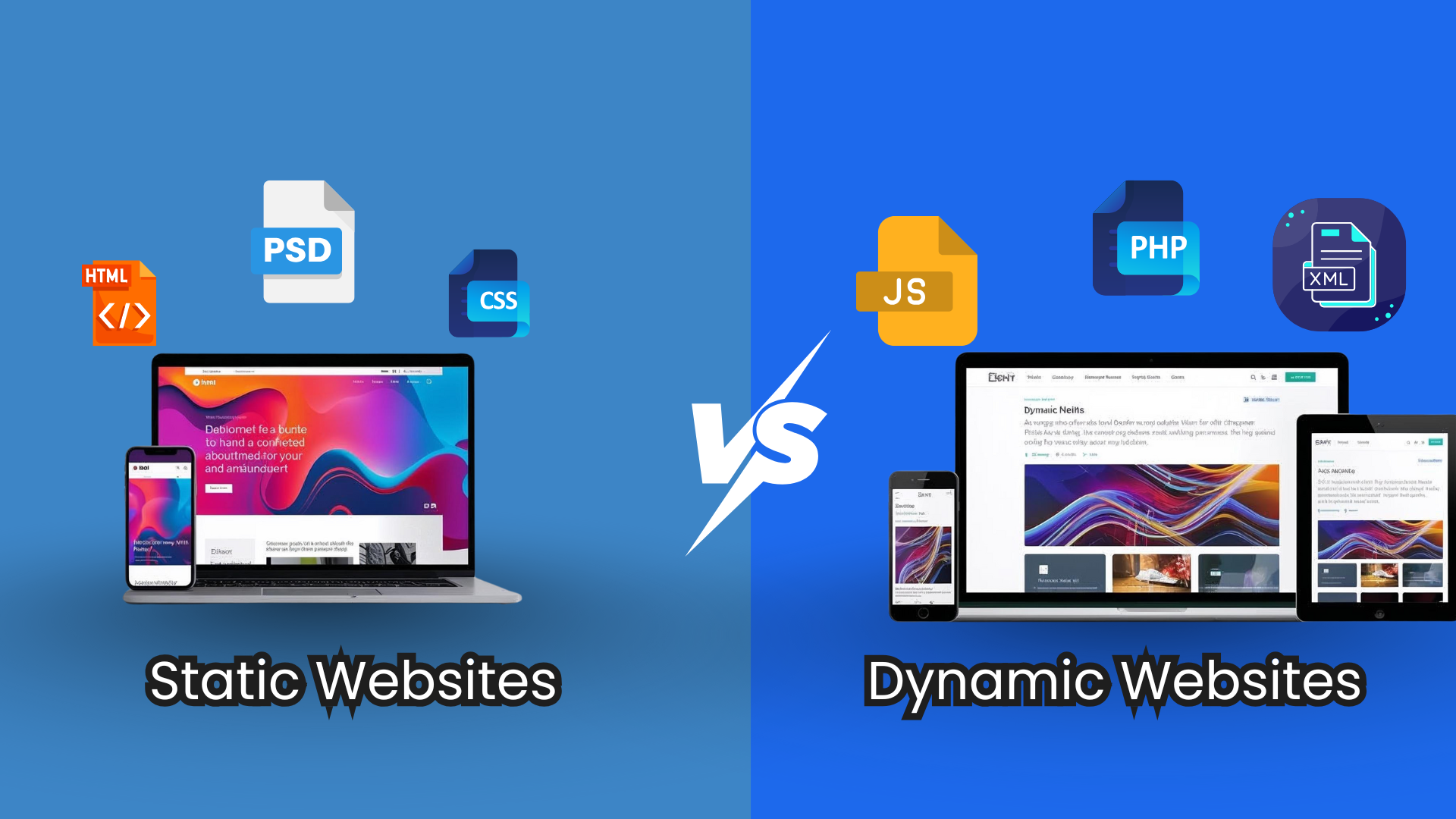
What is a Static Website?
A static website delivers prebuilt HTML files directly to users. Nothing changes at the server level. This makes it fast, secure, and predictable. Many enterprises choose static websites when they want strong performance and simple content delivery without heavy backend processing. Let’s look at the advantages and disadvantages of a static website.
Advantages of a Static Website:
- Uses pre-rendered pages that improve performance optimization and reduce failure points.
- Ideal when the website architecture does not need real-time updates or user-specific content.
- Works well for documentation sites, marketing pages, and predictable types of websites.
- Supports scalability through CDNs and simpler enterprise web development workflows.
Disadvantages of a Static Website:
- Limited flexibility because it cannot handle real-time updates, user logins, or personalized content without extra tools or workarounds.
- Content updates require developer support unless paired with an external headless CMS or automation pipeline.
- Not ideal for platforms that need frequent changes, complex workflows, or database-driven logic.
- It may become harder to manage at scale when hundreds of pages require manual rebuilds or require oversight of version control.
Popular Static Website Examples
- Personal Portfolios/Resumes (Camilo Holguin’s)
- Brochure Websites for small businesses (Super Soco)
- Documentation/Reference Sites (DevDocs)
- Landing Pages (TwitchCon)
What is a Dynamic Website?
A dynamic website generates content in real time based on user actions, database queries, or business rules. It uses server-side logic, APIs, and integrated systems to deliver a personalized and interactive business website. Enterprises choose dynamic websites when they need real-time data, user accounts, or automated workflows that support complex digital operations. Let’s look at the dynamic website advantages and disadvantages.
Advantages of a Dynamic Website:
- Uses databases, APIs, and server-side code to dynamically build pages.
- Ideal for enterprises that need personalization, user logins, or rich workflows.
- Supports scalable website architecture that adapts to evolving business needs.
- Standard tools include Node.js, PHP, Python, .NET, and modern enterprise CMS platforms.
Disadvantages of a Dynamic Website:
- Requires more development time due to the architecture’s use of databases, APIs, and server-side logic.
- Needs stronger security practices, as dynamic systems introduce additional entry points for attacks.
- Increased hosting and maintenance costs due to ongoing server updates and backend resources.
- Performance may drop under heavy traffic if the infrastructure is not optimized correctly or auto-scaled.
Popular Dynamic Website Examples
- Social media (Facebook, Instagram, X)
- eCommerce giants (Amazon, Shopify)
- Streaming services (Netflix, YouTube)
- News sites (NYT, BBC)
Static vs Dynamic Website: Key Differences
Selecting between a static website and a dynamic website affects how your platform performs, scales, and supports enterprise workflows. The table below breaks down the core static vs dynamic differences so teams can align technology choices with business goals.
Comparison Table: Static vs Dynamic Websites
| Factor | Static Websites | Dynamic Websites |
| Performance | Very fast because pages are prebuilt. Ideal for global delivery and performance optimization. | Slightly slower due to server processing and database queries. |
| Security | Fewer attack surfaces, no database exposure. Strong for compliance-heavy websites. | Higher risk because of databases, plugins, and authentication layers. |
| Scalability | Easy to scale with CDNs. Low infrastructure cost. | Requires server and database scaling under high traffic. |
| Content Workflows | Manual updates, unless paired with a headless CMS. | Supports frequent updates through admin panels. |
| Personalization | Limited unless paired with client-side scripts or APIs | Strong personalization and user-specific content. |
| Development Complexity | Simple build process. Fits lightweight website architecture. | More complex, suited for full enterprise web development. |
| Maintenance | Low maintenance. Fewer moving parts. | Ongoing updates and monitoring required. |
| Long-term Cost | Lower hosting and operational costs. | Higher cost due to servers, integrations, and updates. |
When a Business Should Choose a Static Website?
A static website works well when a business needs speed, reliability, and predictable performance without heavy backend logic. Many enterprises choose static websites for use cases where content changes infrequently or where global delivery speed is the top priority.
This model improves security, reduces infrastructure cost, and simplifies operations. Understanding this helps leaders evaluate the difference between static and dynamic websites based on performance and workflow requirements.
Best Situations to Choose a Static Website
- It is ideal for documentation portals, product sites, resource libraries, and marketing pages that do not require database-driven logic.
- Static website works well when teams prioritize strong performance, low latency, and simple hosting across distributed networks.
- It is helpful for organizations seeking lower maintenance, smaller attack surfaces, and better cost control in modern enterprise web development programs.
- A good option for brands that use SSG tools or JAMstack for faster builds and modern website architecture.
When a Business Should Choose a Dynamic Website
A dynamic website becomes the better choice when an organization needs real-time information, interactive workflows, or personalized user journeys. This model supports advanced logic, database connections, and tailored content delivery. It helps enterprises run platforms that change often, adapt to user behavior, and integrate with internal systems.
Leaders prefer this approach when digital experiences require more than static content or simple architectures. It also gives teams flexibility to roll out new features, manage complex operations, and support deeper engagement across the customer lifecycle.
Best Situations to Choose a Dynamic Website
- Ideal for platforms that need frequent content updates, live data, or user-specific dashboards powered by backend applications.
- Practical for membership portals, eCommerce systems, booking engines, and workflow-heavy digital environments that rely on server-side logic.
- Helpful for organizations building personalized experiences, multi-role access systems, or integrations with CRMs, ERPs, and analytics tools.
- Strong choice for teams that want automated publishing, advanced content governance, and flexible templates supported by modern development frameworks.
Modern digital teams rarely rely on a single architecture. They mix static speed with dynamic flexibility to support complex content, global traffic, and personalization. Hybrid models let enterprises keep what works, modernize what doesn’t, and move toward a future-ready foundation without heavy disruption.
Below is a more precise, more engaging breakdown of the three hybrid approaches shaping today’s digital ecosystem.
Where Hybrid Architectures Fit In Enterprise Planning
Many enterprises need the speed of static delivery and the flexibility of dynamic workflows. Hybrid models bridge this gap. These architectures allow teams to deliver fast experiences while still supporting content updates, integrations, and personalization at scale. They give digital leaders the freedom to mix different techniques based on the needs of each product, page, or workflow.
1. JAMstack
A JAMstack setup delivers the fast, secure experience of static output while still allowing dynamic capabilities at the edge.
Why enterprises use it
- Faster page loads and stronger resilience during traffic spikes.
- Cleaner separation between content, logic, and delivery.
- Works well with API-driven workflows and modern deployment pipelines.
2. Static Site Generation (SSG)
SSG builds pages ahead of time and serves them via a global CDN for near-instant delivery.
Where it fits
- Great for content-heavy brands that publish frequently.
- Reduces strain on backend systems.
- Helps teams lower hosting and scaling costs.
3. Headless CMS
A headless CMS offers centralized content management while delivering pages across different channels and front-end frameworks.
Why organizations adopt it
- Gives teams editorial flexibility without slowing performance.
- Supports omnichannel delivery.
- Integrates smoothly with SSG and JAMstack models for a balanced setup.
Static vs Dynamic Website Cost Comparison
Below is a clear cost comparison table that helps stakeholders evaluate budget expectations for both models.
| Cost Factor | Static Website | Cost Range | Dynamic Website | Cost Range |
| Initial Development | Basic templates, faster build | $2,000 to $15,000 | Custom logic, databases, integrations | $10,000 to $80,000+ |
| Hosting | Low-cost CDN or simple hosting | $5 to $50 per month | VPS, cloud servers, autoscaling | $20 to $300+ per month |
| Maintenance | Minimal updates, low risk | $500 to $2,000 per year | Regular patches, database care | $2,000 to $10,000+ per year |
| Content Updates | Manual or SSG-based | Low ongoing cost | CMS-driven, frequent changes | Medium to high cost |
| Integrations | Limited or API-based | $0 to $5,000 | CRM, automation, auth systems | $5,000 to $50,000+ |
| Scalability Cost | Low due to CDN efficiency | Very low | Higher with dynamic compute | Medium to high |
The final cost overview reflects market standards, enterprise requirements, and commonly used development models.
Average Cost Range
Static website Price range: $2,000 to $20,000
Dynamic website Price range: $8,000 to $80,000
How to Decide Between Static vs Dynamic Websites
Making the right architecture decision starts with clarity. Every organization has different performance targets, workflow demands, and compliance rules. A structured evaluation helps leadership teams compare trade-offs and select a model that supports long-term growth.
You can also read this detailed website development guide for an informed decision. The framework below simplifies that process and aligns technical choices with business priorities.
1. Evaluate Performance Expectations
Look at traffic patterns, global delivery needs, latency goals, and uptime requirements. Choose an approach that handles peak loads without overspending on infrastructure.
2. Map your Content Workflow
Review how often teams publish updates, who manages content, and what level of automation they need. Pick a model that supports fast releases and reduces operational friction.
3. Understand Personalization Needs
Check whether the experience requires user-specific content, dashboards, or interactive features. This is often a defining factor when weighing different website structures.
4. Assess Security and Compliance Factors
Consider data handling policies, authentication requirements, and risk tolerance. Some models simplify compliance. Others introduce more operational responsibility.
5. Align Budget with Long-term Scalability
Focus on the total cost of ownership, not just initial development costs. Compare hosting, maintenance, integrations, and growth potential to avoid expensive pivots later.
6. Validate Integration and Ecosystem Compatibility
Ensure the chosen architecture works well with your CRM, analytics tools, APIs, and enterprise systems. Compatibility reduces rework and improves reliability.
7. Consider Future Digital Strategy
Account for planned product expansions, new regions, and upcoming features. Choose a structure that stays flexible as your digital footprint grows.
Conclusion
Static setups strengthen security and speed, while dynamic architectures power richer interactions and evolving content needs. Many organizations now blend both to balance performance with flexibility. The real value comes from choosing an approach from static vs dynamic websites that aligns with workflows, compliance rules, and future growth plans.
A clear evaluation framework guides stronger decisions and prevents costly redesigns. With the exemplary architecture in place, enterprises deliver faster experiences, reduce complexity, and stay ready for the next stage of digital expansion.
CSSChopper Expertise in Building Static and Dynamic Websites
CSSChopper is a leading web development company that helps enterprises build fast, secure, and scalable digital experiences using both static and dynamic architectures. Our team specializes in modern frameworks, headless systems, SSG tools, and advanced backend development to support complex workflows.
We follow an agile methodology that focuses on performance engineering, clean code, and reliable delivery for static vs dynamic websites. Whether a business needs a high-speed static platform or a dynamic system integrated with CRM, APIs, and enterprise data, you can hire website developers from us to deliver solutions that match long-term scalability and operational goals.
Categories
Recent Posts
Popular Posts
- How to Choose a Reliable Offshore Development Partner?
- Transforming Web Development with HTMX’s Declarative Approach for Dynamic UIs
- Why Your Conversion Funnel Needs a Composable Commerce Solution?
- How to Outsource Web Development in 2025: Complete Guide
- What are the Top Web Development Trends for 2025?