- What is CMS Migration?
- Types of CMS Migration Services
- Why Are Businesses Migrating to Headless CMS?
- Why do CMS Migrations Fail?
- How to Plan CMS Migration the Right Way?
- Understanding the CMS Migration Cost and Timeline in 2026
- Key Challenges and Solutions in CMS Migration
- Best Practices in the CMS Migration Roadmap
- Choosing the Right Technology Partner to Mark Your CMS Migration Checklist Done
- Why Choose CSSChopper for Your CMS Migration?
As a business continues to grow in the digital space, its content management requirements become increasingly complex. This is where they need to invest in a reliable CMS system. That being said, a CMS is a framework that supports business operations efficiently, while also ensuring that teams’ expectations around scalability, security, and personalization are met.
This is why many organizations are now investing in CMS migration strategies to build a sustainable and modern content management ecosystem that is flexible and future-ready to meet evolving user expectations. However, planning this on paper may seem simple. In reality, it has many roadblocks in terms of SEO, data management, integrations, and more.
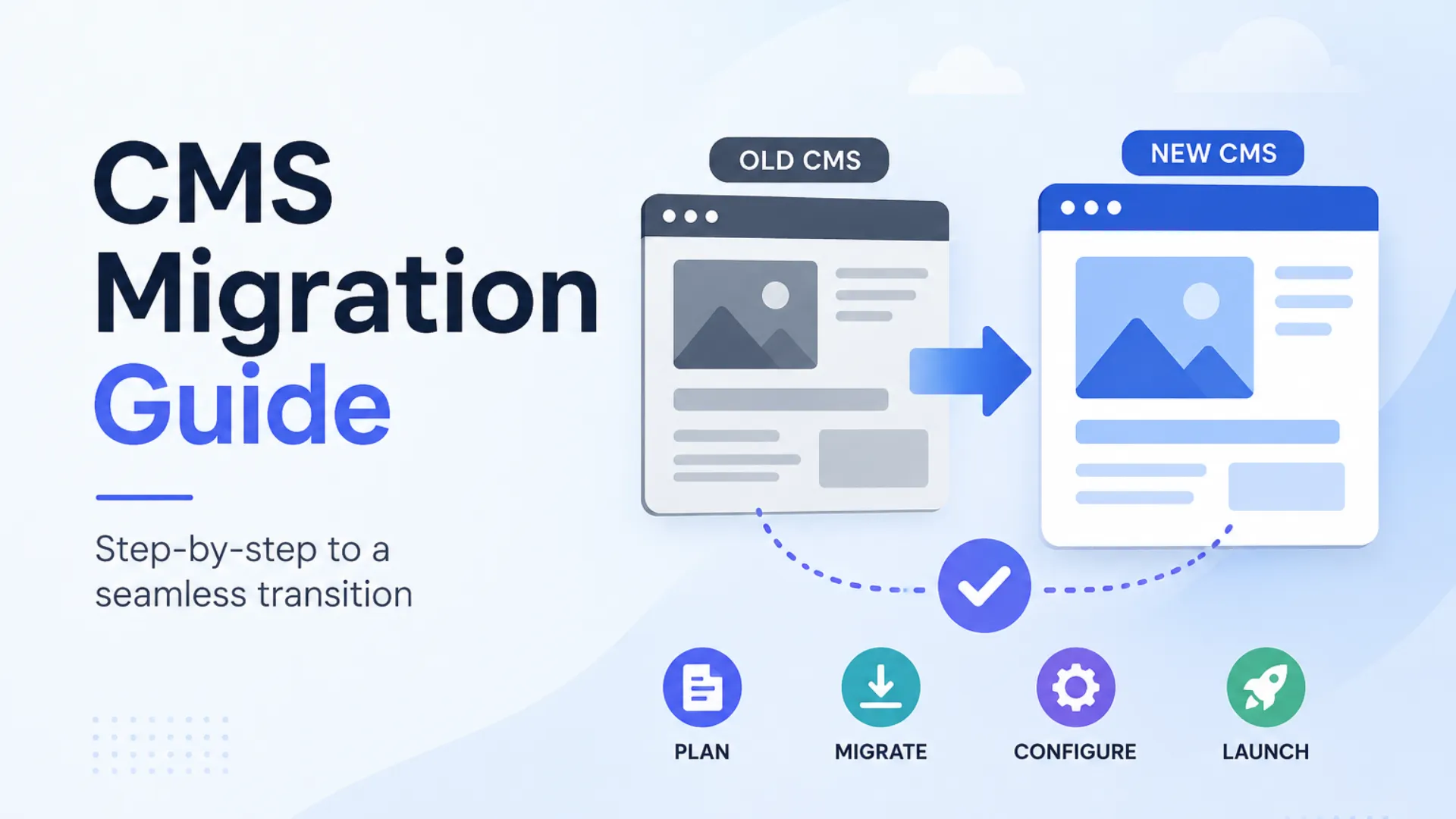
To help leaders plan this correctly, this CMS migration guide comes packed with the knowledge of its key steps, best practices, cost and timeline plan, and common mistakes that teams should avoid. Overall, this will help ensure a secure, scalable, and seamless transition.
What is CMS Migration?
CMS migration is the process of transferring a website’s content, data, design elements, and workflows from one content management system to another. Herein, leaders usually migrate their files in order to improve their platform’s performance, scalability, security, and efficiency. Overall, all these aspects largely define a brand’s user experiences, which is why considering this migration is important.
That being said, CMS migration results in the following aspects:
- Better SEO management
- Cloud capabilities offer higher flexibility and security
- Higher level of customization, and
- Enabling integrations
But since these factors affect the website’s performance, the migration framework also raises the risk of traffic loss, broken URLs, and data inconsistencies, among other operational challenges. So, this process needs to be well-thought-out and structured to ensure performance.
A practical example of this framework can be an ecommerce company shifting from a traditional CMS to a headless CMS structure to streamline their content workflows. Additionally, this also helps them share content updates more easily across multiple platforms.
Types of CMS Migration Services
For teams planning the CMS migration process, the next key move is understanding the various types of CMS systems that can help them achieve their desired website performance and scalability.
Here is a list of these strategies described briefly below:
Platform-to-Platform Migration
This CMS to CMS migration strategy mainly involves migrating from one CMS platform to another, such as moving from WordPress to Drupal or from a legacy CMS to a headless CMS architecture.
Legacy CMS Modernization
Among the different CMS types, businesses replace their outdated CMS platforms with modern ones that support higher scalability, flexibility, and better user experiences.
Headless CMS Migration
Today, when choosing a CMS is a tricky call, many companies are shifting to a headless CMS. It is because this strategy offers a separate frontend and backend architecture, which makes content changes fast and easy to manage across multiple channels.
Cloud CMS Migration
This CMS migration framework is focused on moving the CMS infrastructure to the cloud so that companies can scale their operations better and achieve higher operational efficiency.
Replatforming Migration
This is another key approach of CMS migration where companies can simply work on redesigning their website’s workflows and improving their third-party integrations to optimize their digital platform’s operations.
Why Are Businesses Migrating to Headless CMS?
Well, for digital platforms, why is it necessary to migrate to a modern CMS platform? Mainly, companies can find traditional CMS platforms increasingly restrictive because, in that case, aspects like omnichannel content updates, slow performance, and security issues can occur.
That is why teams are open to adopting headless CMS as it can provide them with better functionality, flexibility, and content delivery throughout all their platforms. Unlike the traditional CMS migration process, headless CMS keeps the frontend and backend architecture separate, which helps teams to work more efficiently.
So, it can offer benefits like:
- Faster website performance,
- Easier integrations
- Improvement in content delivery, and
- Enabling more agile content operations
Overall, this makes managing higher user traffic easier as well.
Example: Consider a retail brand expanding across ecommerce channel and mobile apps. Traditionally, they may be using a traditional CMS, but as they expand, teams can face issues in updating content consistently. This is when they can consider shifting to a headless CMS. This enables centralized content management, which allows content to be delivered across digital ecosystems simultaneously.
Why do CMS Migrations Fail?
Despite these long-term benefits, the CMS migration process can become highly difficult to manage if teams don’t plan it correctly. In most cases, migration failures occur not because of the platform but because of gaps in the efficiency and execution of plans.
That being said, below are some of the most common CMS migration problems:
Lack of Planning
Many businesses are developing a CMS website or working on their migration projects without correctly looking into their goals and technical requirements. For teams, this leads to delays, inconsistencies, and budget overruns.
SEO Structure Issues
The second main CMS migration problem is that teams often face technical challenges due to improper URL mapping, missing redirects, broken internal links, and lost metadata. Overall, this can affect the brand’s search ranking and organic traffic negatively.
Issues in Content Management
Other than SEO, it is quite possible that the content management system in place is causing certain performance issues, due to which teams may consider CMS migration. In this way, teams can fix the root cause, i.e., the CMS, and improve their overall website performance.
Integration Complexity
Well, many companies may also face issues while integrating with third-party tools like CRMs, analytics platforms, ecommerce systems, and more. This is also one of the reasons why migration projects may fail.
Thus, to avoid these risks practically, enterprises must approach CMS migration in a well-planned manner to achieve the desired results (in terms of website performance, scalability, and content delivery).
How to Plan CMS Migration the Right Way?
After we have closely discussed key reasons for migration failure, let us explore how a successful CMS migration process flows. For decision-makers, this can provide an actionable solution that they can work on to achieve a seamless CMS platform transition.
That being said, here is an elaborate CMS checklist for companies shared below:
Step-by-Step CMS Migration Framework
Supporting this step-by-step framework, the most common CMS migration tools that help teams are as follows:
- WP All Import: This is a popular tool for WordPress content and data migration.
- CMS2CMS: It allows an automated migration tool supporting multiple CMS platforms.
- Contentful Migration Tools: These are used for headless CMS and structured content migration.
- WordPress Importer: This is a native WordPress migration support tool.
- Drupal Migrate API: This is mainly only used for Drupal CMS migration projects.
- Screaming Frog SEO Spider: This is used by teams for URL audits, redirects, and SEO validation during migration.
- Google Search Console: It helps monitor indexing, traffic, and SEO performance after migration.
- Aherfs and Semrush: It is commonly used for backlink monitoring, SEO audits, and ranking validation during CMS migration.
Thus, this CMS migration process and its related tools are more effective if their utilization is well-planned. Overall, it can help teams work on their content delivery, workflows, security, and scalability.
Understanding the CMS Migration Cost and Timeline in 2026
As we understand the CMS migration tools, framework, and steps, now it is time to uncover what the average project costs and timeline this framework requires. Well, we can say that this largely depends on the company’s platform size, content complexity, integrations, customization requirements, and migration goals.
For large-scale companies, migration is an ongoing optimization, while for smaller businesses, achieving short-term goals and avoiding budget overruns is necessary. However, enterprise CMS migration costs can also vary depending on workflows, required APIs, ecommerce systems, multilingual support, and SEO needs of the project.
Other factors also include security and post-launch optimization costs that teams need to always consider beforehand. So, based on these factors, the cost and timeline for this budget can be custom-planned for an enterprise.
Key Challenges and Solutions in CMS Migration
Well, there are many moving parts combined in a CMS migration project. Some of them are CMS website development, content structures, SEO assets, APIs and integrations, workflows, and frontend experiences.
Let us understand them below in a tabular format while also understanding how these potential challenges can be resolved.
| Key Challenges | Description | Recommended Solutions |
| Chances of SEO ranking and traffic loss | Missing redirects, broken URLs, and lost metadata can affect a brand’s organic traffic. | Implementing structured URL mapping, redirect strategies, and metadata preservation. |
| Data inconsistency | Commonly happens when migrating outdated or duplicate content. Highlights the importance of structured data in cms migration. | Conducting a system audit. Cleaning data formats and duplicate content before migration. |
| Downtime during migration | Poorly planning the migration process can cause downtime and operational performance lag. | Using staging environments, backup systems, and phased deployment approaches. |
| Security risks of a CMS migration and compliance risks | Improper access controls, data handling, or migration practices may expose businesses to cybersecurity risks. | Implementing security testing, governance validation, and compliance reviews throughout the process. |
| Slow website performance | Unoptimized infrastructure, heavy assets, and poor frontend implementation can reduce website speed after migration. | Optimizing hosting infrastructure, caching systems, media assets, and frontend performance before deployment. |
Overall, the main idea is understanding challenges beforehand and planning to overcome them so that teams can successfully achieve their goals while enhancing their CMS performance.
Best Practices in the CMS Migration Roadmap
As we know, CMS migration is of great value to businesses. So, following a structured roadmap for this process can not only help reduce risks but also enhance SEO performance, among other measurable aspects.
That being said, here are some of the best migration practices that can be helpful in removing discrepancies and supporting your platform’s digital performance.
- The key to success in the case of CMS migration lies in prioritizing SEO rankings and organic traffic. For this, teams can maintain redirects, metadata, internal linking structures, and sitemap configurations that show effective results.
- Secondly, content must be properly evaluated and reviewed to check outdated pages and duplication. Such a thorough content audit can help teams leave no space for mistakes.
- Ideally, testing the site before deployment can help migration professionals review and fill in performance gaps before deployment.
- Most importantly, ensuring that SEO, content teams, and operations people all work together on this project is essential. This can help reduce confusion while also avoiding rework.
- Many companies also choose the right CMS approach while also deciding on a CMS migration services partner to support their project goals. This helps them in attaining the expected level of performance, customer experience, and efficiency of the platform.
Overall, all these practices are well-planned to remove any performance bottlenecks that teams may face in this process, thus helping them focus only on results.
Choosing the Right Technology Partner to Mark Your CMS Migration Checklist Done
As professionals explore the CMS migration checklist for enterprises, the next key step that can ensure their success is choosing the right technology partner. This can not only help them achieve top-notch website performance but also ensure higher security and scalability.
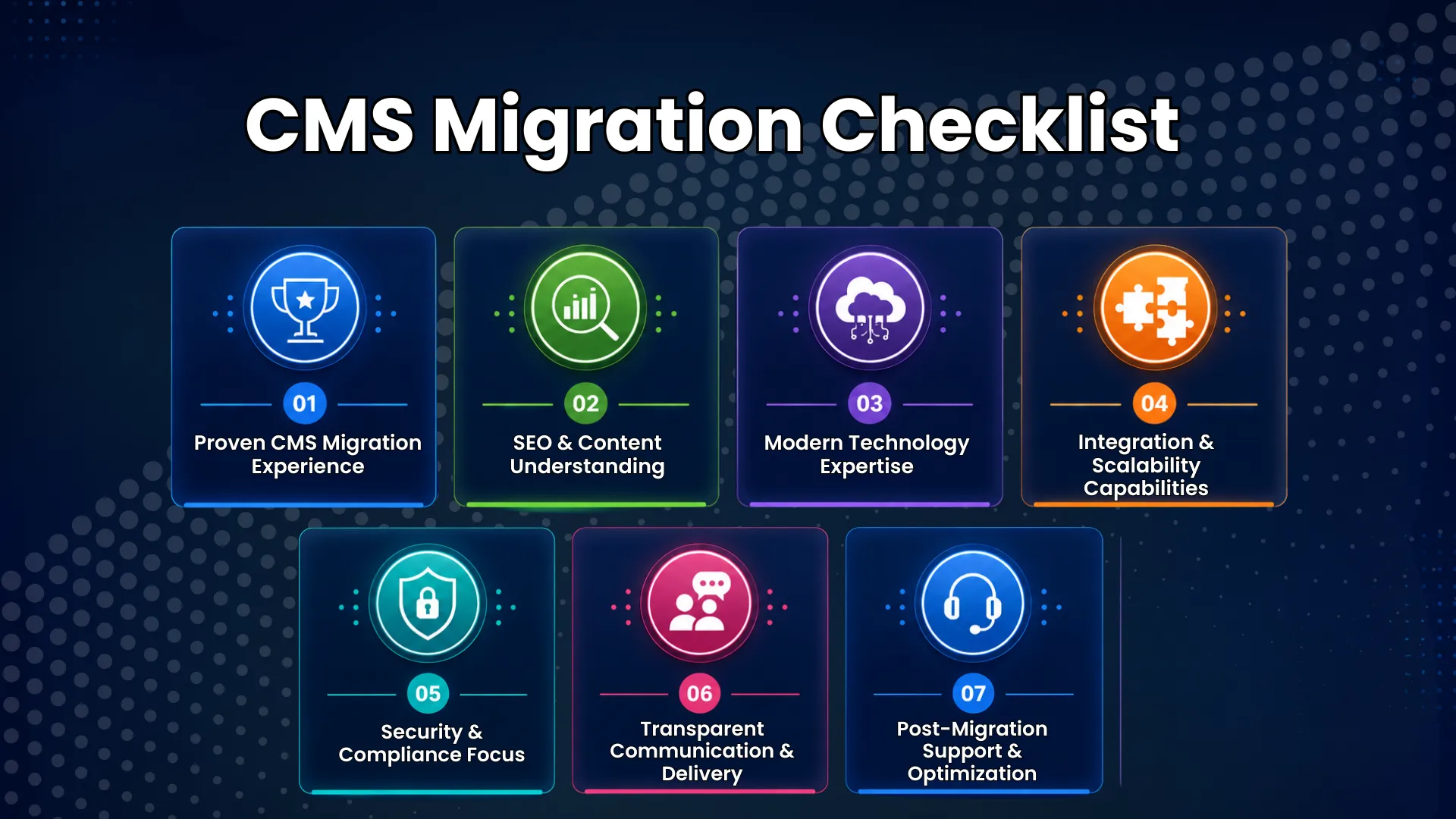
So, here is a practical checklist that you can study to assess the service provider’s deliverables and decide whether they align with your project or not.
1. Proven CMS Migration Experience
The provider should have experience in successfully handling complex migrations with minimal operational disruptions.
2. SEO & Content Understanding
Their work should be able to showcase case studies where they helped brands achieve higher rankings, traffic, URLs, and content structure during and after migration.
3. Modern Technology Expertise
Modern expertise is needed without a doubt. This can be in terms of managing headless CMS, cloud platforms, APIs, and scalable architectures.
4. Integration & Scalability Capabilities
Integration capabilities also need to be assessed through the service provider’s work because it is necessary to create future-ready systems.
5. Security & Compliance Focus
Additionally, security and compliance-related expertise are a must in this process.
6. Transparent Communication & Delivery
Teams must be able to coordinate with the provider clearly while also discussing project timelines, reporting, and collaboration throughout the project.
7. Post-Migration Support & Optimization
Finally, after assessing their knowledge and expertise, another important aspect is long-term support, which is necessary to ensure performance after launch.
Why Choose CSSChopper for Your CMS Migration?
As teams are seeking result-oriented CMS migration services, we would like to assure that our experts can help with this technical concern. Our experts have immense experience in helping leaders plan and execute secure, scalable, and SEO-focused CMS migration strategies that are tailored to your specific business.
What’s more, we have expertise across legacy modernization, headless CMS, cloud migration, and enterprise web development. Our main focus lies on helping companies achieve their planned goals while ensuring long-term scalability and performance. So, from your migration planning to SEO performance, we can manage your projects, thereby helping teams with your future-ready digital goals. To consult us for your CMS migration project, you can visit us here.
Tags
Categories
Recent Posts
Popular Posts
- How to Choose a Reliable Offshore Development Partner?
- Transforming Web Development with HTMX’s Declarative Approach for Dynamic UIs
- Top 15 Ecommerce Growth Strategies to Maximize Sales in 2026
- What is B2B Web Design? Benefits, Best Practices, and Examples
- Why Your Conversion Funnel Needs a Composable Commerce Solution?